
PolyCrosshair (Custom Crosshairs)
modrinthmodLicense: LicenseRef-GPL-3.0-with-Minecraft-Linking-Exception
Wyvest
533.439 downloads · 32 followers
Minecraft: Minecraft 1.8.9 – 26.3
Loaders:fabricforgeornithe
Runs on: Client
Kategorie: utility
Compatibility by loader
- fabric1.21 – 1.21.11, 26.1 – 26.3· Latest v2.0.7 (28. Okt. 2026)
- ornithe1.8.9· Latest v2.0.7 (28. Okt. 2026)
- forge1.8.9· Latest v1.0.3 (24. Juli 2024)
Required with
Overview
PolyCrosshair


PolyCrosshair lets you draw your own crosshair in a built-in pixel editor.
Editor
- Four canvas sizes, from 7x7 up to 63x63
- A pen and a circle tool
- Mirror your strokes horizontally, vertically or both
- Undo and redo
- Save the crosshairs you like and load them back later
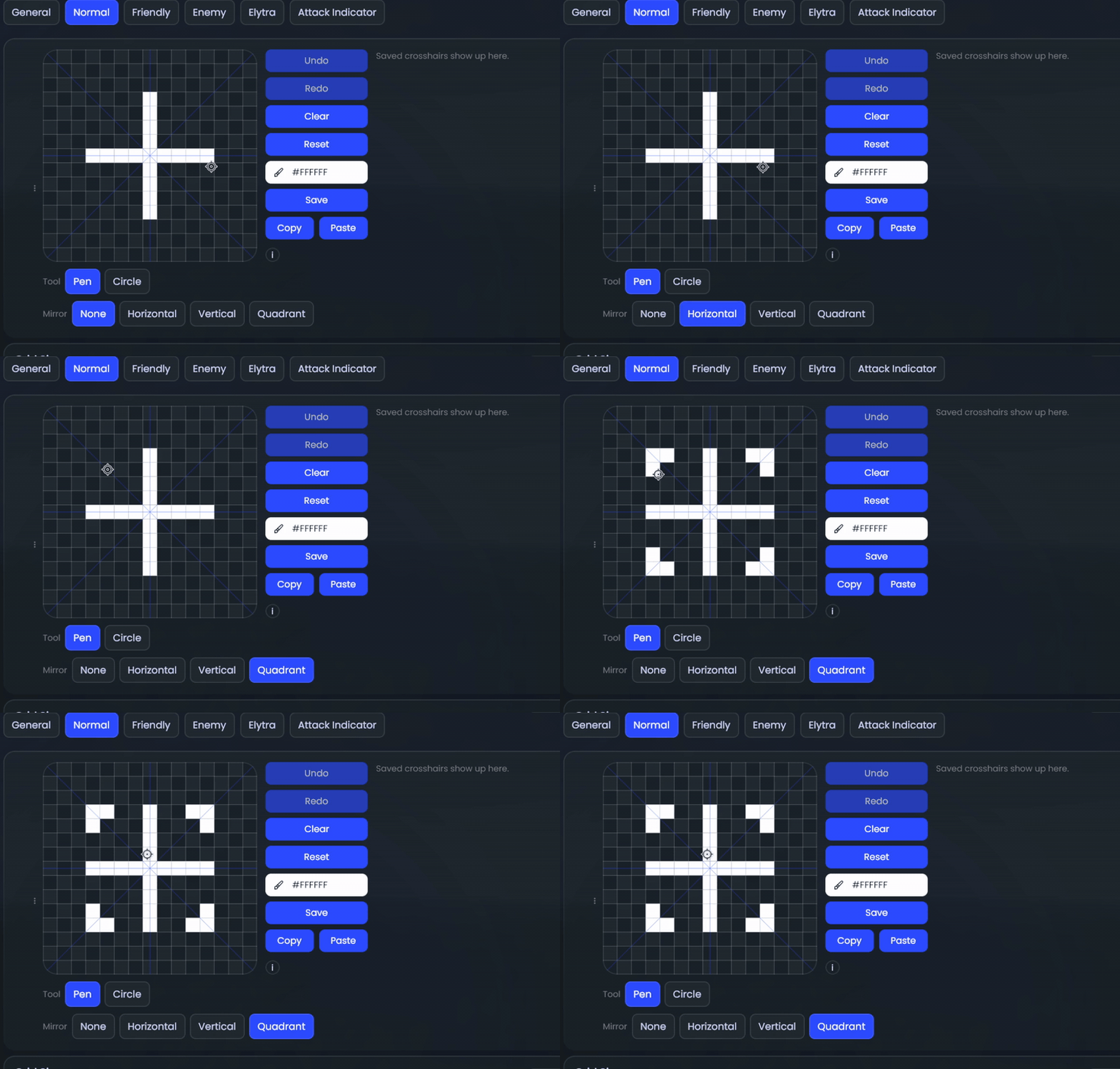
Shortcuts in the editor:
Deleteclears the canvasSshows or hides the guide lines- Hold
Shiftto lock a stroke to one direction ZandYundo and redoWswitches the mirror modeCswitches between pen and circle
More crosshairs
- Draw separate crosshairs for when you look at a friendly or an enemy target (teammates and animals count as friendly)
- An elytra indicator below the crosshair while you're wearing one (1.21.1+)
Options
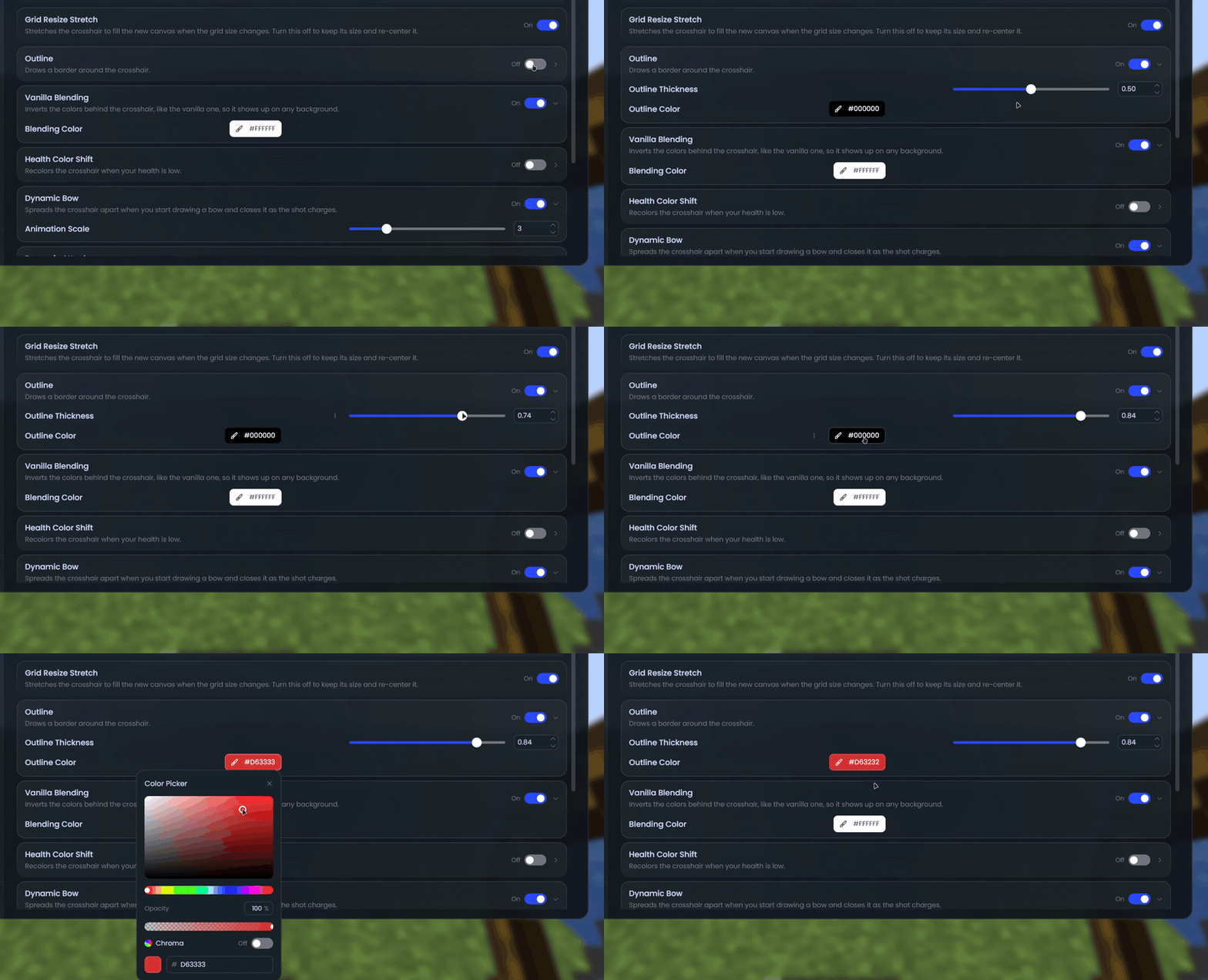
- Outline with a custom color and thickness
- Vanilla-style blending that inverts the colors behind the crosshair
- Change color when your health gets low
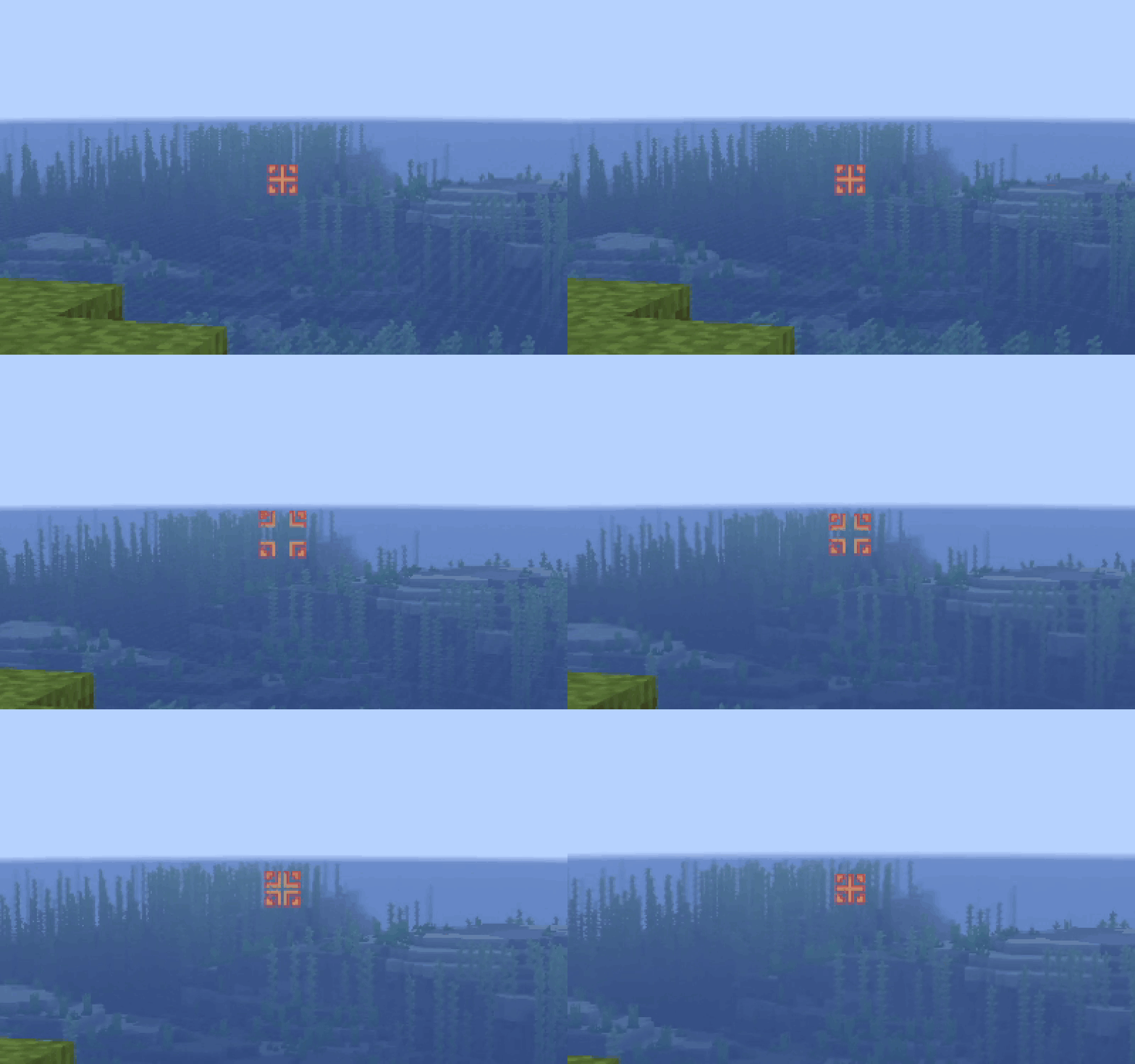
- Dynamic crosshair that spreads while you draw a bow or after you attack (attack not on 1.8.9)
- Custom scale that ignores your GUI scale
- Show it in third person and while spectating
Supported versions
- Minecraft 1.8.9 on Ornithe.
- Minecraft 1.21.1-26.3 on Fabric.
PolyCrosshair needs OneConfig and Fabric Language Kotlin.
Support
- Report bugs and ask questions on the Polyfrost Discord.
- Check Polyfrost Status if a Polyfrost service is down.
Gallery
Modrinth modrinth
indexable