BadOptimizations
thosea
49,175,139 downloads · 3,494 followers
Minecraft: Minecraft 1.19.1 – 26.3
Runs on: Client
Category: optimization
Compatibility by loader
- neoforge1.20 – 1.21, 26.1 – 26.3· Latest 2.4.1 (Sep 16, 2026)
- fabric1.19 – 1.21, 26.1 – 26.3· Latest 2.4.1 (Sep 16, 2026)
- forge1.19 – 1.20· Latest 2.4.1 (Dec 15, 2025)
Overview

BadOptimizations
A collection of mostly micro optimizations that add up to something bigger!
What does it do?
Multiple things:
- Avoid updating lightmap Updating lightmap textures are one of the most expensive parts of the client tick. During each tick, the client will do vector math to calculate lightmaps for blocks and the sky, then upload that new texture to the GPU. However, this can be completely avoided and cached if nothing affecting block brightness has changed. This mod will cancel lightmap updates if nothing that changes block brightness (e.g. gamma slider, potion effects, dimension) has changed.
- Don't do debug logic if we don't need to Minecraft has four debug renderers that can be activated with a debug server: bees, game events, game test and villager AI. Even if there's nothing to process, the logic for these debug renderers are still executed. This mod will only execute them if debug is enabled and there is data from the server to process.
- Sky color calculation optimizations (1.21.10 and below) Minecraft uses a cubic color sampler every frame to calculate the current sky color. This function loops 216 times to factor in surrounding biomes, even if all surrounding biomes are identical or have identical sky colors. This mod makes the color sampler only used if you are between biomes with different sky colors, and caches it for each tick. Otherwise, a shorter, simpler and faster sky color calculation is used.
That's a few of them, at least. You can disable any optimization in the config file if you need to.
How much does it help?
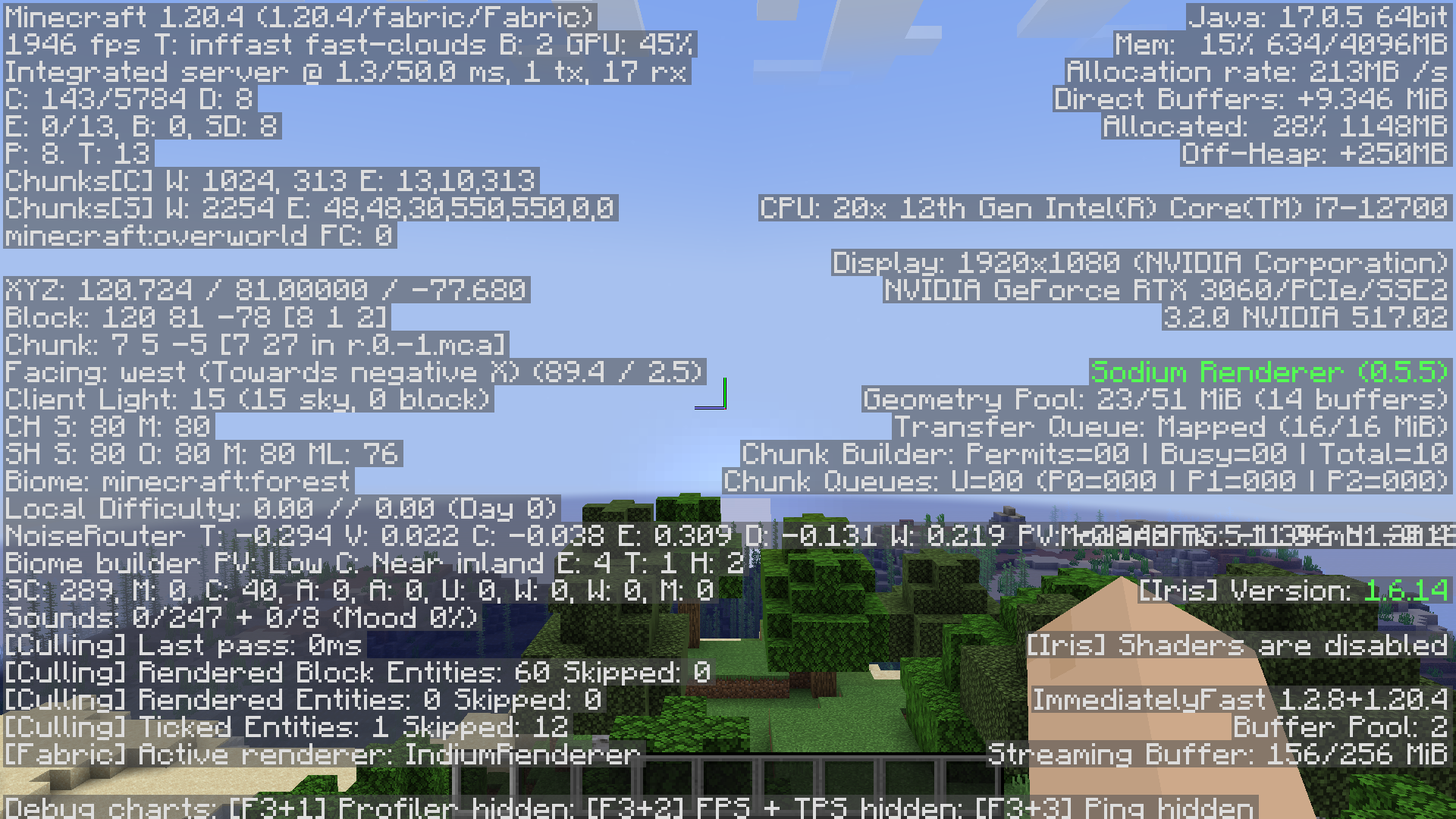
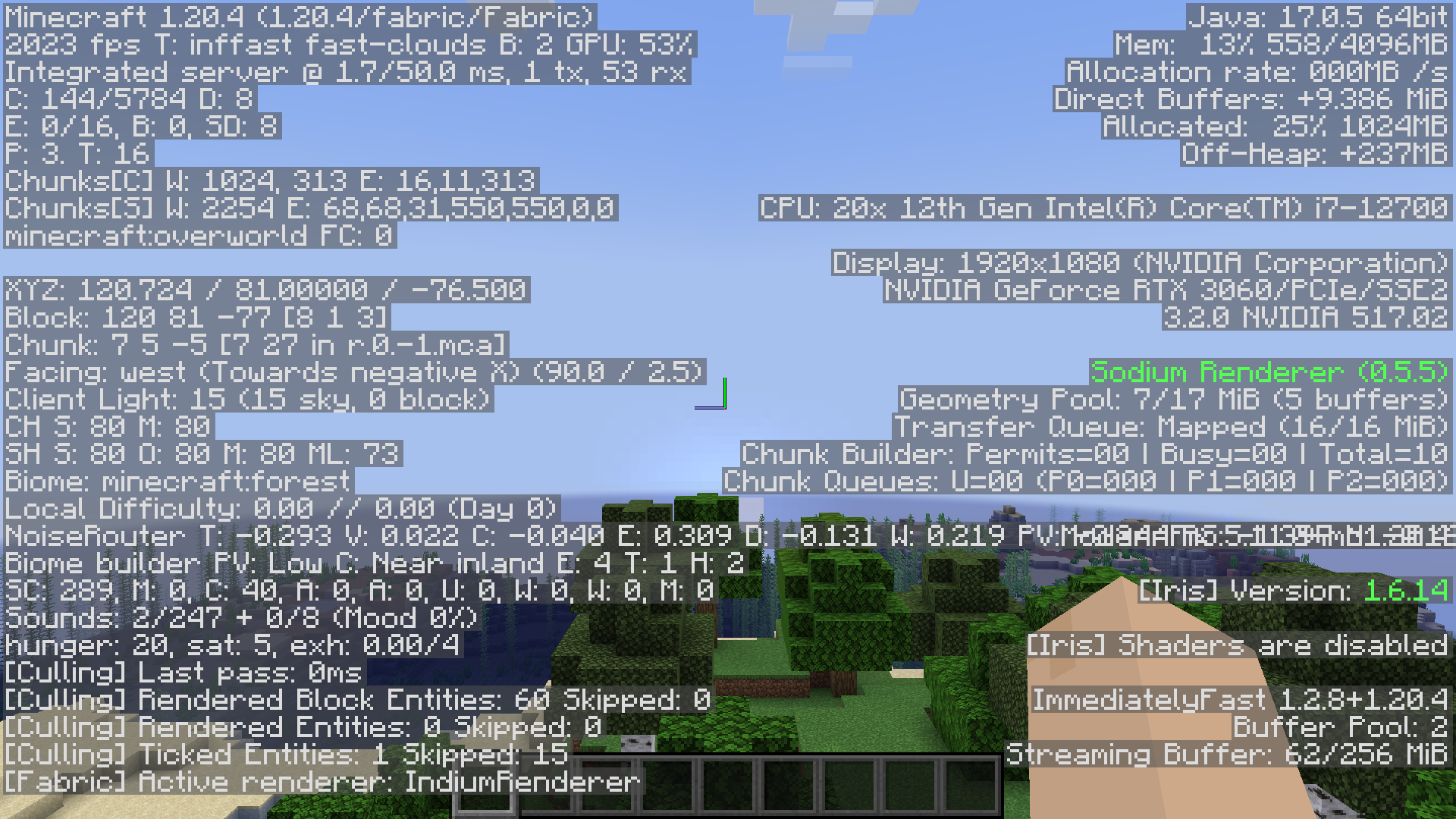
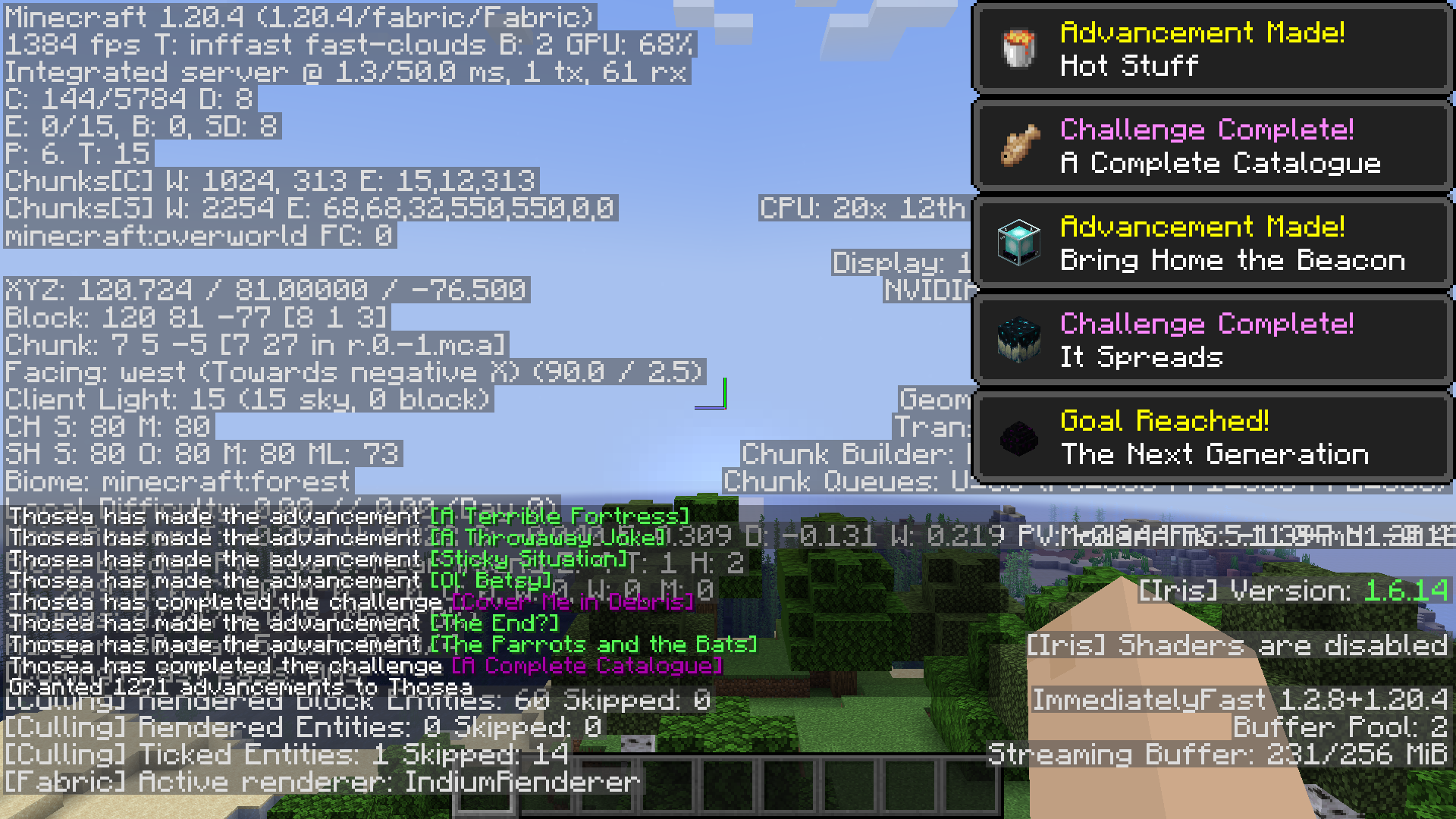
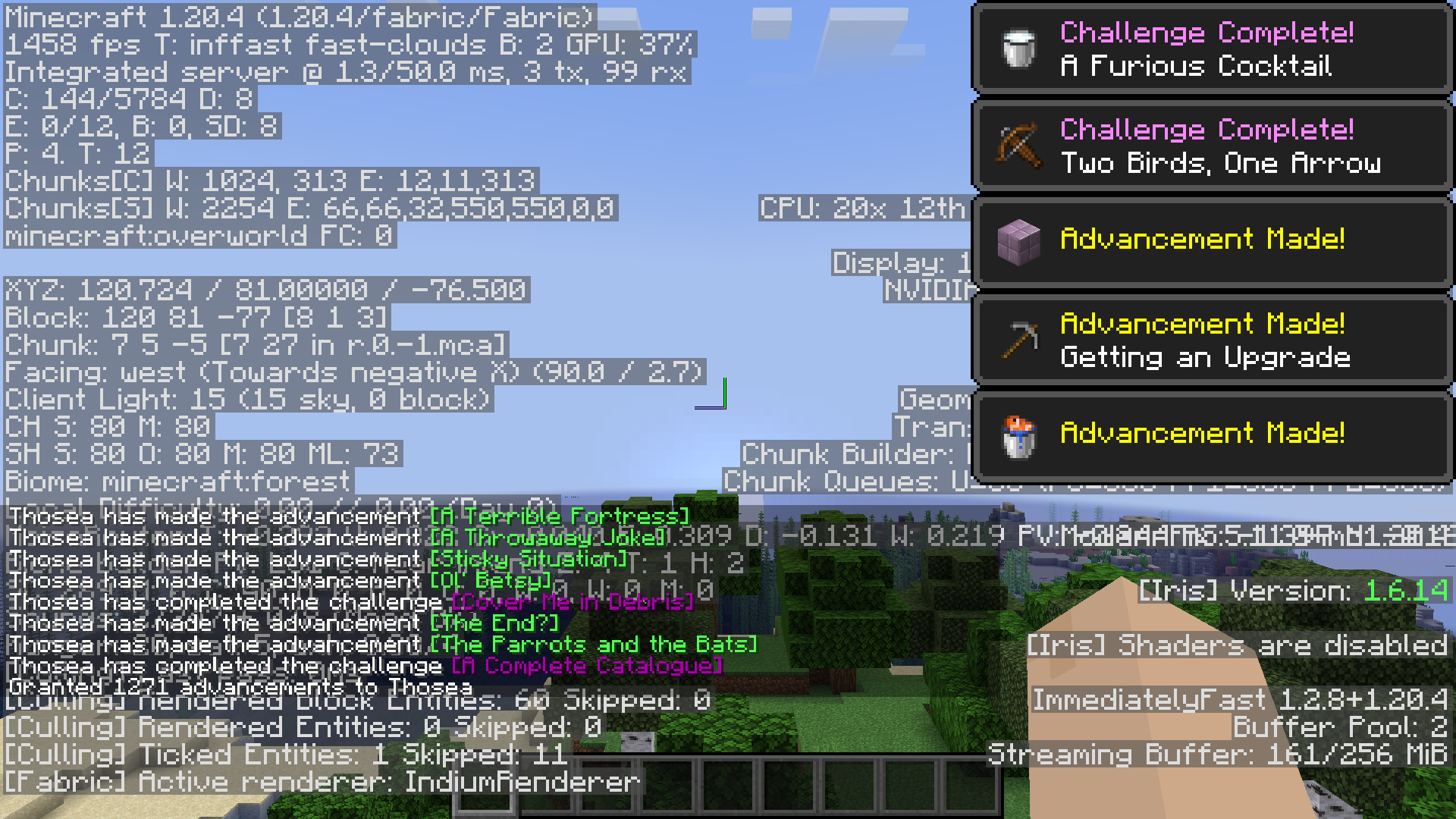
Depends on your system and luck, but on my own PC, an RTX 3060, intel i7 12700 and 4GB of allocated ram on Fabulously Optimized:
Without toasts, it goes from 1926-1955 FPS:
 To 2008-2023 FPS:
 And with toasts, it goes from 1351-1384 FPS:
 To 1414-1458 FPS:
My mod is incompatible!
You can mark your mod as incompatible with specific BadOptimizations options. If your mod is present, BadOptimizations will automatically disable the specific options you specify. You can also add hooks that tell BadOptimizations when the lightmap or sky color needs to be updated instead of adding a hard incompatibility to the caching optimizations.
Dependencies?
None.
(Also available on CurseForge, if that's your thing.)
AI-summarized from the mod's own pages · reviewed by our team
Reviewed for 2.4.1
Source: Modrinth project pageGuide
Summary
BadOptimizations improves client performance through small optimizations, many of which do not focus on rendering. It reduces repeated work involving lightmaps, debug logic and, in some versions, sky colors. Its effect depends on your system and circumstances.
Getting started
- Choose a matching build — Select a build intended for your Minecraft version and loader. Fabric and NeoForge builds are mentioned in the release notes; check the individual build before installing it.
- Play and compare — The optimizations work without a gameplay progression path. To judge their effect, compare performance in similar situations with and without the mod.
- Adjust if needed — Individual optimizations can be disabled in the config file. If you encounter a problem, try disabling the relevant optimization rather than immediately removing the entire mod.
Key features
Lightmap caching
The mod skips lightmap texture updates when nothing affecting block brightness has changed. Changes such as potion effects, the gamma setting or a dimension change can require an update.
Conditional debug processing
Debug renderer logic runs only when debugging is enabled and the server has data to process. This covers debug information for bees, game events, game tests and villager AI.
Sky color calculations
On Minecraft 1.21.10 and below, the mod can use a simpler calculation when nearby biomes have matching sky colors, while caching the more detailed calculation when needed. Sky color caching was removed in the 1.21.11 update.
Compatibility
fabric, neoforge · Release notes mention Minecraft 1.21.10 and below, 1.21.11, 26.1, 26.2 and 26.3. They do not provide a complete loader-by-version compatibility list.
Tips
- Expect results to vary: the published performance comparison reflects one particular system and setup, not a guaranteed improvement.
- On 1.21.11, lightmap caching remains, but the former time-based update setting no longer has an effect. The release notes say this change does not apply to 1.21.10 and below.
- The mod can automatically disable particular options when another mod declares those options incompatible. No specific incompatible mods are identified in the supplied information.
FAQ
- Does BadOptimizations require other mods?
- The description lists no dependencies.
- Does this mod add items or recipes?
- The supplied information describes performance changes and does not list any items or recipes.
Modrinth modrinth
indexable