
Jade 🔍
Snownee
75,294,211 downloads · 9,345 followers
Minecraft: Minecraft 1.16.4 – 26.3
Runs on: Client & server
Category: library, utility
Compatibility by loader
- neoforge1.20 – 1.21, 26.1 – 26.3· Latest 26.1.12+neoforge (Oct 13, 2026)
- fabric1.17 – 1.21, 26.1 – 26.3· Latest 26.3.5+fabric (Oct 2, 2026)
- quilt1.20 – 1.21, 26.1 – 26.3· Latest 26.3.5+fabric (Oct 2, 2026)
- forge1.16 – 1.20· Latest 11.13.3+forge (Jul 21, 2026)
Required with
Overview
Jade 🔍
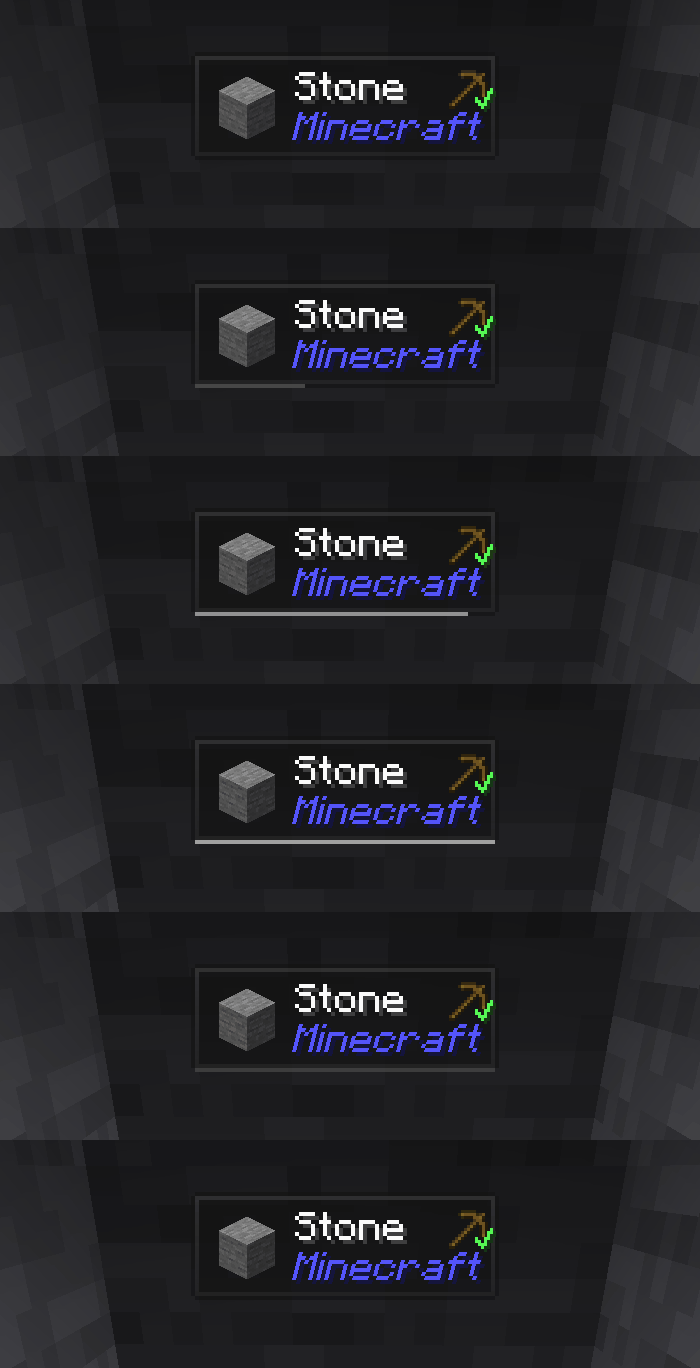
Jade is the information HUD mod - Hwyla/Waila for modern Minecraft versions. Designed for better user experience and API.
Jade can be installed only on the client side. But many features require Jade on the server side. (item storage, brewing stand fuel amount, bees in beehive...)
For mod integration, try Jade Addons: NeoForge Fabric
Keys (default):
- Keypad 0: Open configuration screen
- Keypad 1: Toggle overlay
- Keypad 2: Toggle liquid display
- Keypad 3: Show recipes (Requires JEI)
- Keypad 4: Show uses (Requires JEI)
- Keypad 5: Narrate target
Notable changes compared to Hwyla:
- API re-design
- More vanilla addons
- Higher configurability
- Better accessibility

As required by the original project Hwyla, Jade utilizes the Creative Commons Attribution-NonCommercial-ShareAlike 4.0 International (CC BY-NC-SA 4.0) license.
AI-summarized from the mod's own pages · reviewed by our team
Reviewed for 26.1.12+neoforge
Source: Modrinth project pageGuide
Summary
Jade adds an information overlay for whatever you are looking at. It can run on the client alone, although some details require it on the server too. It is a fork of Hwyla and Waila for Minecraft 1.16 and newer.
Getting started
- Look at a target — Once Jade is installed, look at something in the game to use its information overlay. Press Keypad 1 to toggle the overlay if you want to hide or show it.
- Open the settings — Press Keypad 0 to open Jade’s configuration screen. The mod is designed to be configurable, so explore the available settings to adjust it to your preferences.
- Try the other controls — Press Keypad 2 to toggle liquid display, or Keypad 5 to narrate your current target. These are the default controls.
Key features
Target information
Jade displays information about what you are looking at. Some information depends on whether the server also has Jade installed.
Server-provided details
Storage information, brewing stand fuel amounts and bees inside beehives are examples of features that need Jade on the server. If those details are missing, check the server installation before assuming the overlay is broken.
Recipe and use lookup
With JEI installed, press Keypad 3 to show recipes or Keypad 4 to show uses. A later NeoForge changelog also records REI integration returning, so check the relevant release when choosing an integration.
Additional mod integration
Jade Addons is a separate option for more mod integration. The description lists editions for NeoForge and Fabric.
Compatibility
Fabric, NeoForge · The description calls Jade a fork for Minecraft 1.16 and newer. Check the individual release for its supported game version.
Tips
- If the overlay is distracting, use Keypad 1 to turn it off and back on rather than removing the mod.
- Use Keypad 2 when you want to change whether liquids are displayed, and Keypad 5 when narration would be useful.
- The recipe and use shortcuts require JEI; Jade alone does not provide that lookup through those keys.
FAQ
- Does the server need Jade?
- No, Jade can be installed only on the client. However, several details, including storage contents, require it on the server as well.
- Does Jade have crafting progression?
- The supplied material describes an information overlay and its controls, but does not describe a crafting or progression system.
Modrinth modrinth
indexable