
Motion Capture
mt1006
686,638 downloads · 528 followers
Minecraft: Minecraft 1.16.5 – 26.2
Runs on: Client & server
Category: utility
Compatibility by loader
- fabric1.16 – 1.21, 26.1 – 26.2· Latest 1.3.10-fabric-26.2 (Jun 22, 2026)
- neoforge1.21 – 1.21.11, 26.1 – 26.2· Latest 1.3.10-neoforge-26.2 (Jun 22, 2026)
- forge1.16 – 1.21· Latest 1.3.9 (Oct 26, 2024)
Overview
About
Motion Capture is a mod that allows you to record and replay player movements. It is created mainly for people who want to create complex scenes in Minecraft without using real players.
It records:
- movements
- sprinting, jumping, swimming, sneaking
- swinging hands
- using items
- items in hands and armor
- states like being on fire, being invisible, or glowing
- placing, breaking and interacting with blocks
- nearby entities and riding them
After you save recording, you can create a scene to which you can add multiple recordings or other scenes with parameters like player name, position offset, or start delay.
How to use
- First, you need to start recording using
/mocap recording start. It will record all your movements or movements of a player given as an argument. - Then, you can stop recording using
/mocap recording stopand save it with/mocap recording save [name]. - Use
/mocap playing start [name] (player_name) (mineskin_url)to play recording. - You can also create scenes to which you can add multiple recordings or other scenes, with parameters like player name, position offset, or start delay.
- To create scene use
/mocap scenes add (scene_name). Then, add your recording using/mocap scenes addTo [scene_name] [recording_name] (delay) (x_offset) (y_offset) (z_offset) (player_name) (skin_source_type) (skin_source)(you can skip arguments in round brackets if you want). - To play scene use
/mocap playing start .[scene_name]- you need to put a dot before the scene name. - By putting a dot before name, when using
/mocap scenes addTo [...], you can also add scenes to other scenes.
Commands
/mocap recording [...] - Recording player movements
/mocap recordings [...] - Managing recording files
/mocap scenes [...] - Creating and modifying scenes
/mocap playing [...] - Playing scenes and recordings
/mocap settings [...] - Shows and modifies settings
/mocap info - Displays information about mod
/mocap help - Displays help message
Example
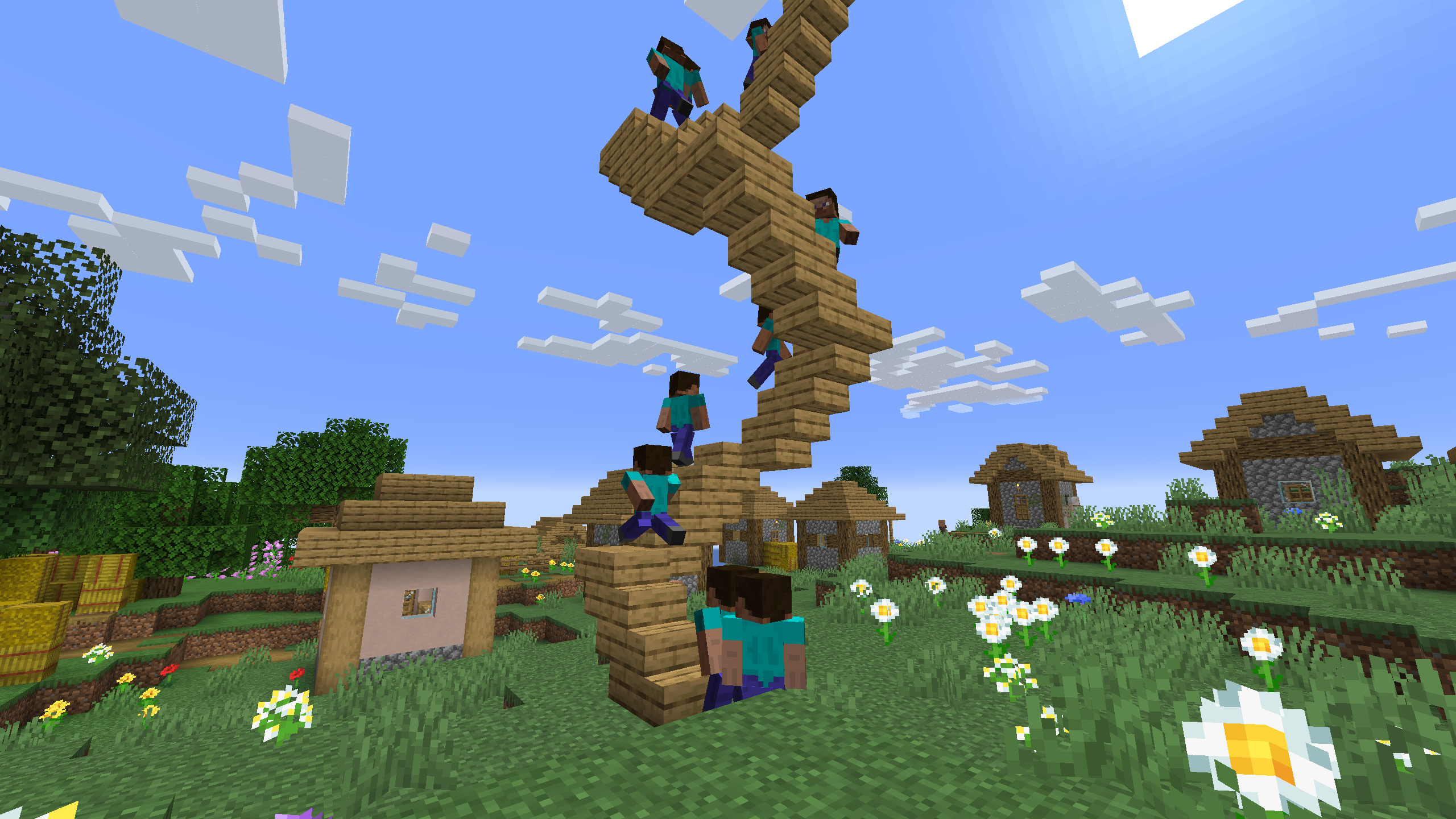
Simple example of one recording used 4 times in a scene with time and position offset

One recording of climbing stairs used multiple times in a scene with start delay
Modrinth modrinth
indexable