
3D Skin Layers
tr7zw
86,745,952 downloads · 11,996 followers
Minecraft: Minecraft 1.8.8 – 26.3
Runs on: Client
カテゴリー: adventure, decoration
Compatibility by loader
- neoforge1.20 – 1.21, 26.1.2 – 26.3· Latest 1.11.4 (2026年10月18日)
- fabric1.16 – 1.21, 26.1 – 26.3· Latest 1.11.4 (2026年10月18日)
- forge1.8.8 – 1.8.9, 1.12.2, 1.16 – 1.21· Latest 1.11.4 (2026年10月18日)
- quilt1.20 – 1.20.1· Latest 1.5.4-1.20 (2023年7月7日)
Required with
Overview




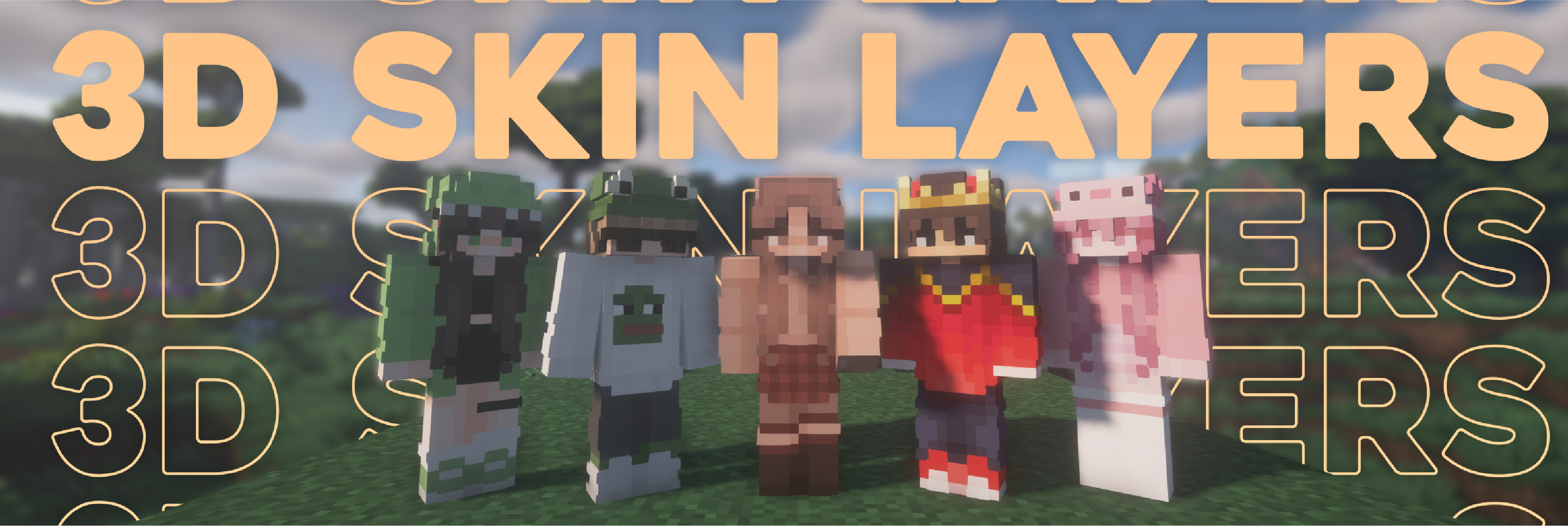
Replaces the normally flat second layer of player skins with a fully 3D-modeled version. The mod automatically switches back to vanilla-style 2D rendering when players are more than 12 blocks away, helping maintain high framerates. It also supports transparent elements - perfect for glasses, visors, or other cosmetic details!
Since this mod is purely visual and entirely client-side, it doesn't need to be installed on servers and works seamlessly in any environment.

Give your player skin the depth it deserves—with style and performance in mind.
3D Extruded Skin Layer
- Replaces the flat second skin layer with a full 3D model
- Adds visual depth to cosmetic details like jackets, sleeves, or hats
- Fully supports transparency for glasses, visors, etc.
- Also applies to player head items
Performance-Aware Rendering
- Automatically switches to vanilla 2D rendering beyond 12 blocks
- Maintains FPS even in multiplayer or crowded areas
- Fully client-side and requires no server installation


| Minecraft | Loader | Status | Version | Note |
|---|---|---|---|---|
| 1.16.5+ | Fabric/Forge*/NeoForge | ✅ Supported | Latest | |
| *1.16.5 | Forge | ⚠️ Unsupported | Outdated | Unsupported, until it gets support for JarInJar mods |
| 1.12.2/1.8.9 | Forge | ❌ Not supported | Outdated | Might get new updates at some point |
| Mod | Status | Note |
|---|---|---|
| Essential | ✅ Supported | |
| Shoulder Surfing Reloaded | ✅ Supported | |
| Player Animator | ✅ Supported | This means mods that use it like Better Combat and Emotecraft |
| CustomSkinLoader | ⚠️ Partial support | Requires this helper mod |
| Lunar Client | ❌ Not supported | Will never get support! |


- Because the outer layer is slightly larger than the player model, some skins may not align perfectly in 3D.
- ZigZag patterns around corners will join up. This down to the math of making it 3d, but it can be somewhat prevented by placing slightly transparent pixels into the holes.
- With shaders, some body part layer sides have weird shadows. I am trying to get this resolved.

Does this need to be installed on the server?
No. This is a fully client-side mod and does not need to be installed on the server.
Does this work with HD Skins?
No. Since the pixels wouldn't have the correct shape, this is not possible.
The layers stick through the modded armor
Some modded armor is closer to the body than vanilla. Turn down the 3d size in the mod settings till it fits.
The layers are flying offset to the body
You are probably using a ETF/EMF resourcepack. Make sure you update it, fitting to the Minecraft version.
Help the layers are gone! / The mod doesn't work!
A few things to check before asking for help:
- Check under Options > Skin Customization that you didn't accidentally disable your skin layers.
- Check in the mod settings, that the features are turned on.
- Does the mod show up in the modlist at all?
- The skin should be loaded via Mojang, other skin loaders might not be supported.
- Make sure your skin actually has things on the second layer. The mod can't magically invent layers.
I'm having issues with my cracked version of Minecraft
Please buy the game, illegal copies of the game are not supported.

👤 Thanks to the awesome translators and contributors on Github!

📄 License: tr7zw Protective License
Feel free to use this mod in your Modrinth/Curseforge hosted modpacks without asking for permission. Do not redistribute the jar files anywhere else!
AI-summarized from the mod's own pages · reviewed by our team
Reviewed for 1.11.4
Machine translated
Source: Modrinth project pageGuide
Summary
3D Skin Layersは、プレイヤースキンの外側のレイヤーを立体的に表示するビジュアル系のクライアント側MODです。サーバー側に導入する必要はありません。
Getting started
- スキンを確認する — ジャケット、袖、帽子など、外側のレイヤーに模様があるスキンを使いましょう。このMODは既存の模様に立体感を加えるもので、外側のレイヤーがないスキンに模様を追加するものではありません。
- レイヤーを有効にする — 効果が表示されない場合は、「設定」から「スキンのカスタマイズ」を開き、該当するスキンレイヤーが有効になっているか確認してください。また、MOD一覧にこのMODが表示されていることと、設定で機能が有効になっていることも確認しましょう。
- 近くで確認する — プレイヤーに近づいて、立体的なレイヤーを確認しましょう。12ブロックより離れると、パフォーマンス向上のため、自動的にレイヤーが平面表示に切り替わります。
Key features
立体的な外側レイヤー
スキンの第2レイヤーに奥行きを加え、服やそのほかの装飾を際立たせます。プレイヤーの頭部アイテムにも効果が適用されます。
透明なディテール
透明なスキン要素にも対応しているため、メガネやバイザーなどのディテールも立体的なレイヤーに表示できます。
距離に応じた描画
遠くにいるプレイヤーは自動的に平面表示になります。混雑したマルチプレイエリアを含め、パフォーマンスへの負荷を抑えるための機能です。
Compatibility
Fabric, Forge, NeoForge · 互換性表には、Forgeの1.16.5を除き、Fabric、Forge、NeoForgeでMinecraft 1.16.5以降をサポートすると記載されています。Forge向けの1.12.2版と1.8.9版は、古く、サポート対象外とされています。
- HDスキンには対応していません。
- Lunar Clientには対応していません。
- CustomSkinLoaderは一部対応しており、別途ブリッジMODが必要です。
Tips
- MOD入りの防具から立体レイヤーがはみ出す場合は、MOD設定で3Dサイズを小さくしてください。
- 外側のモデルはプレイヤーモデルより少し大きいため、スキンによっては位置が完全には合わない場合があります。
- ジグザグ模様は角でつながって見えることがあります。隙間のピクセルを少し透明にすると、目立ちにくくなる場合があります。
- シェーダーによっては、体のパーツの側面に不自然な影が生じることがあります。
FAQ
- スキンが平面のままなのはなぜですか?
- スキンレイヤーの切り替えとMODの設定を確認し、スキンに外側のレイヤーのディテールがあることを確かめてください。プレイヤーが12ブロックより離れている場合、このMODは平面表示を使用します。
- レイヤーが体からずれているのはなぜですか?
- ETFまたはEMFのリソースパックを使っている場合は、Minecraftのバージョンに合った版に更新してください。MODのバージョン1.11.4には、ForgeでのEMFリソースパックに関する修正も含まれており、特にMinecraft 1.20.1で有効です。
- ほかのプレイヤーアニメーションMODと一緒に使えますか?
- 互換性表では、Essential、Shoulder Surfing Reloaded、Player Animatorが対応対象として記載されています。また、Better CombatやEmotecraftなど、Player Animatorを使用するMODにも対応するとされています。
Modrinth modrinth
indexable