
Simple Voice Chat
henkelmax
77,149,835 downloads · 14,857 followers
Minecraft: Minecraft 1.12.2 – 26.2
Runs on: Client & server
カテゴリー: adventure, bukkit, bungeecord, folia, paper, purpur, social, spigot, utility, velocity, waterfall
Compatibility by loader
- fabric1.16 – 1.21, 26.1 – 26.2· Latest fabric-2.6.22+26.2 (2026年8月8日)
- neoforge1.20 – 1.21, 26.1 – 26.2· Latest neoforge-2.6.22+26.2 (2026年8月8日)
- forge1.12.2, 1.16 – 1.21, 26.1 – 26.2· Latest forge-2.6.22+26.2 (2026年8月8日)
- quilt1.18 – 1.21, 26.1 – 26.2· Latest quilt-2.6.22+26.2 (2026年8月8日)
Overview
Modrinth | CurseForge | Discord | Wiki | FAQ | Credits | API
Simple Voice Chat
A proximity voice chat for Minecraft with a variety of addons that offer additional features and functionalities.
⚠️ NOTE This mod requires special setup on the server in order to work. Please read the wiki for more information.
[
](https://discord.gg/4dH2zwTmyX)
*Please join the Discord if you have questions!*
Downloads
Features
- Push to talk
- Voice activation
- Proximity voice chat
- Password protected groups
- Automatic voice activity detection
- Automatic microphone gain adjustment
- Opus codec
- RNNoise recurrent neural network noise suppression
- OpenAL audio
- Cross compatibility between Fabric, NeoForge, Forge, Quilt, Bukkit, Spigot and Paper
- Support for Velocity, BungeeCord and Waterfall
- Compatibility with ModMenu (Use ClothConfig for a better configuration UI)
- Configurable push to talk key
- Microphone and speaker test playback
- Configurable voice distance
- Whispering
- Individual player volume adjustment
- Microphone amplification
- 3D sound
- AES encryption
- Audio recording with separate audio tracks
- A powerful API
- Many addons
Icons
| Icon | Description |
|---|---|
 | You are talking |
 | You are whispering |
 | Player is talking |
 | Player is whispering |
 | Microphone muted |
 | Voice chat disabled |
 | Voice chat not connected |
| Voice chat not installed |
The GUI
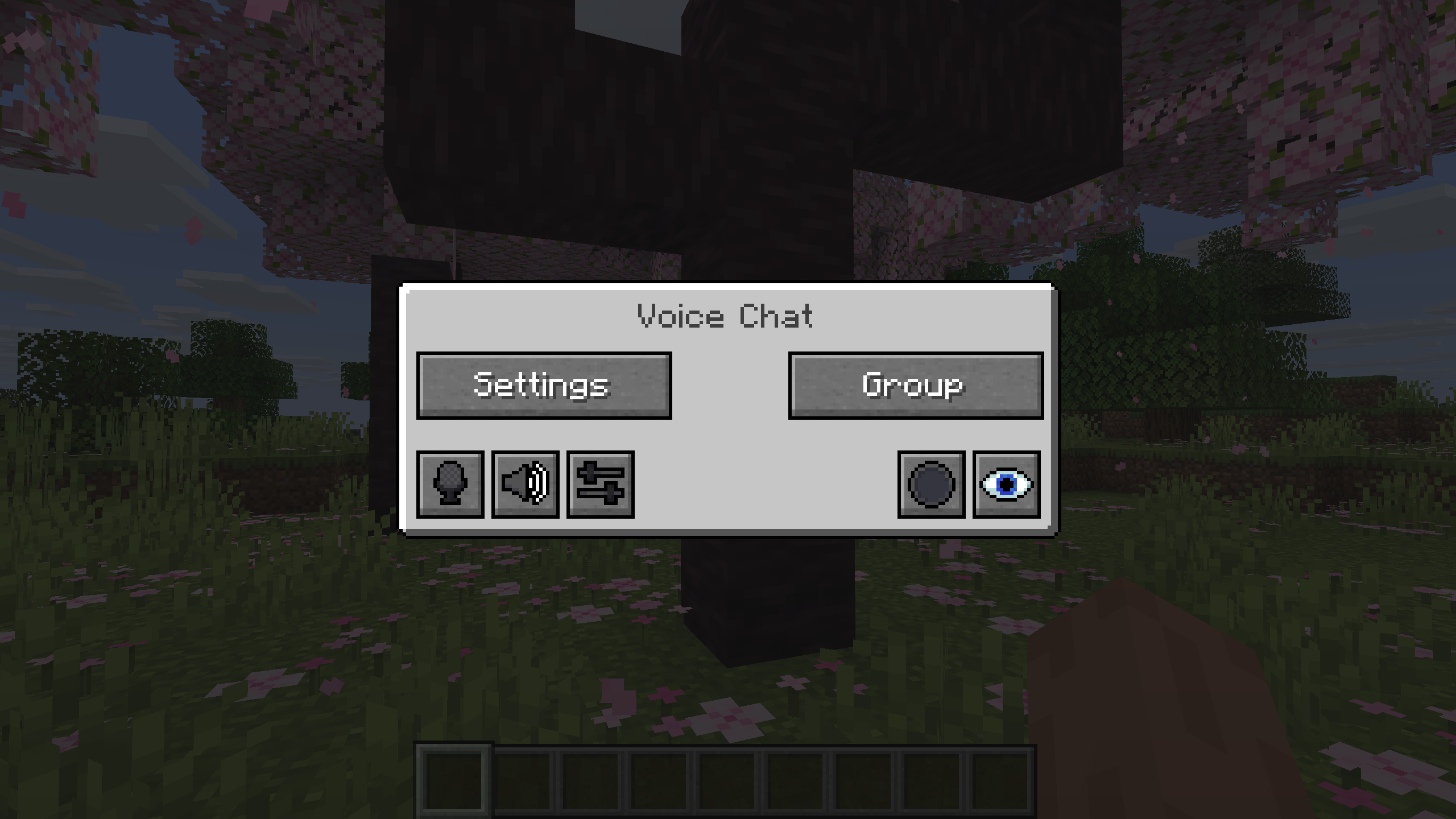
You can open the voice chat GUI by pressing the V key.
This allows you to open the settings, group chats, mute yourself, disable the voice chat, start/stop a recording and hide all icons.
Group Chats
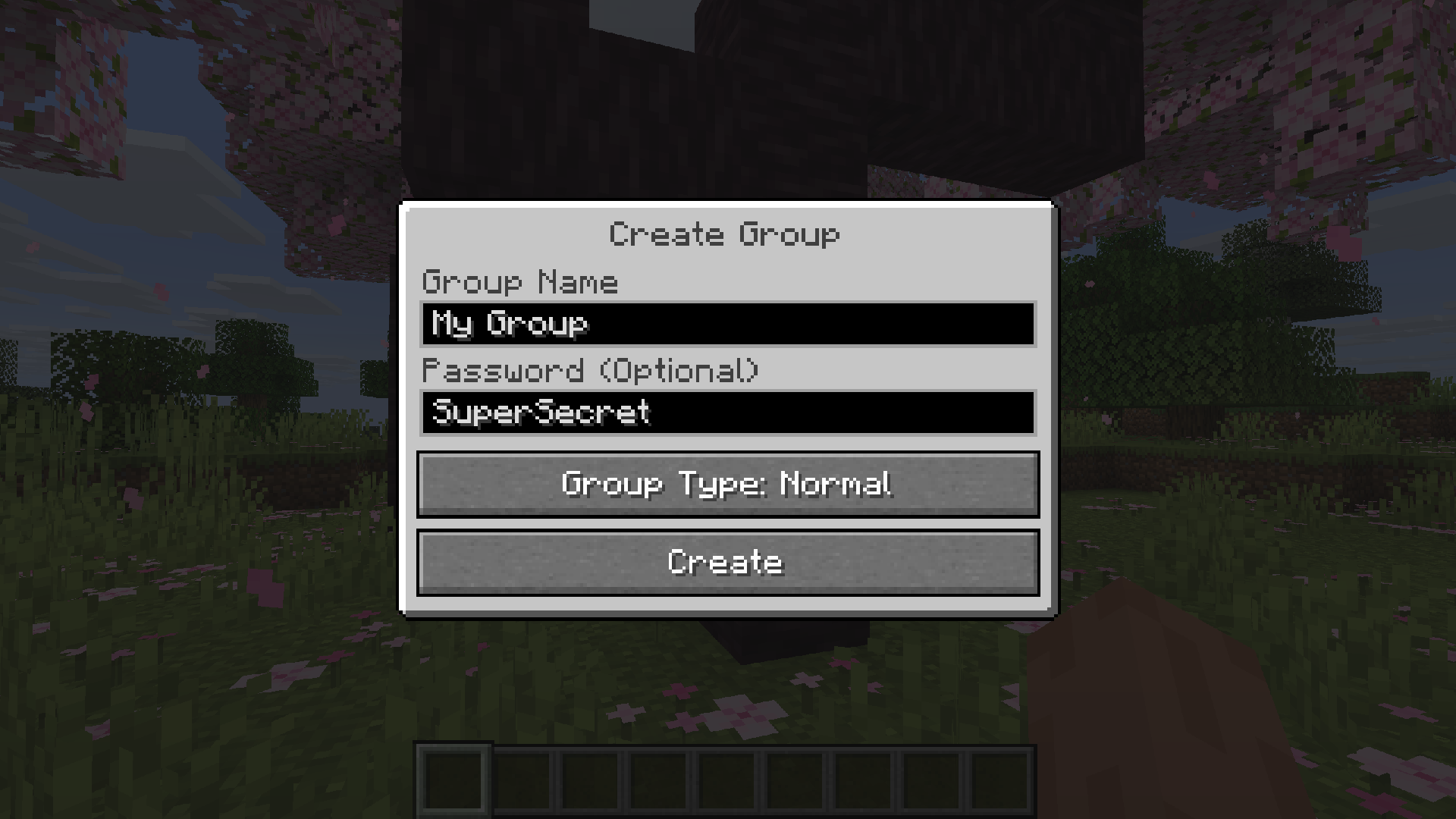
Group chats allow you to talk to players that are not in your vicinity. To open the group chat interface, either press the group button in the voice chat GUI or just press the group key.
To create a new group, just type a name in the text field and press the button at the bottom.
Creating or joining a group will bring you into the group chat interface. You will also see the heads of the group members in the top left corner of your screen. Talking players will be outlined. You can disable these icons by pressing the third button from the left.
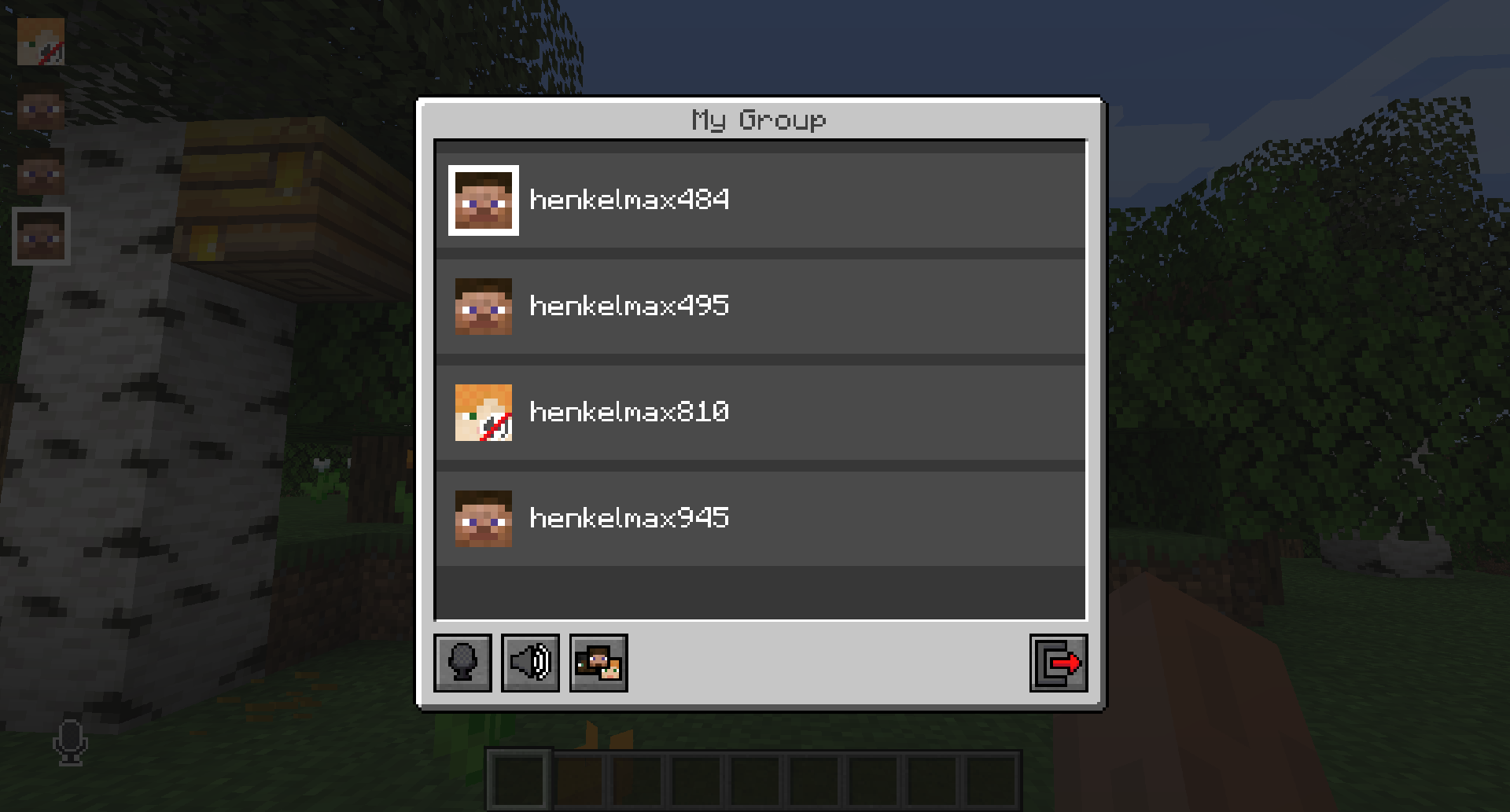
Players that are not in a group will see a group icon next to your head, indicating that you are in a group.
You can invite players to your group chat by entering the command /voicechat invite or from the social interactions screen.
Settings
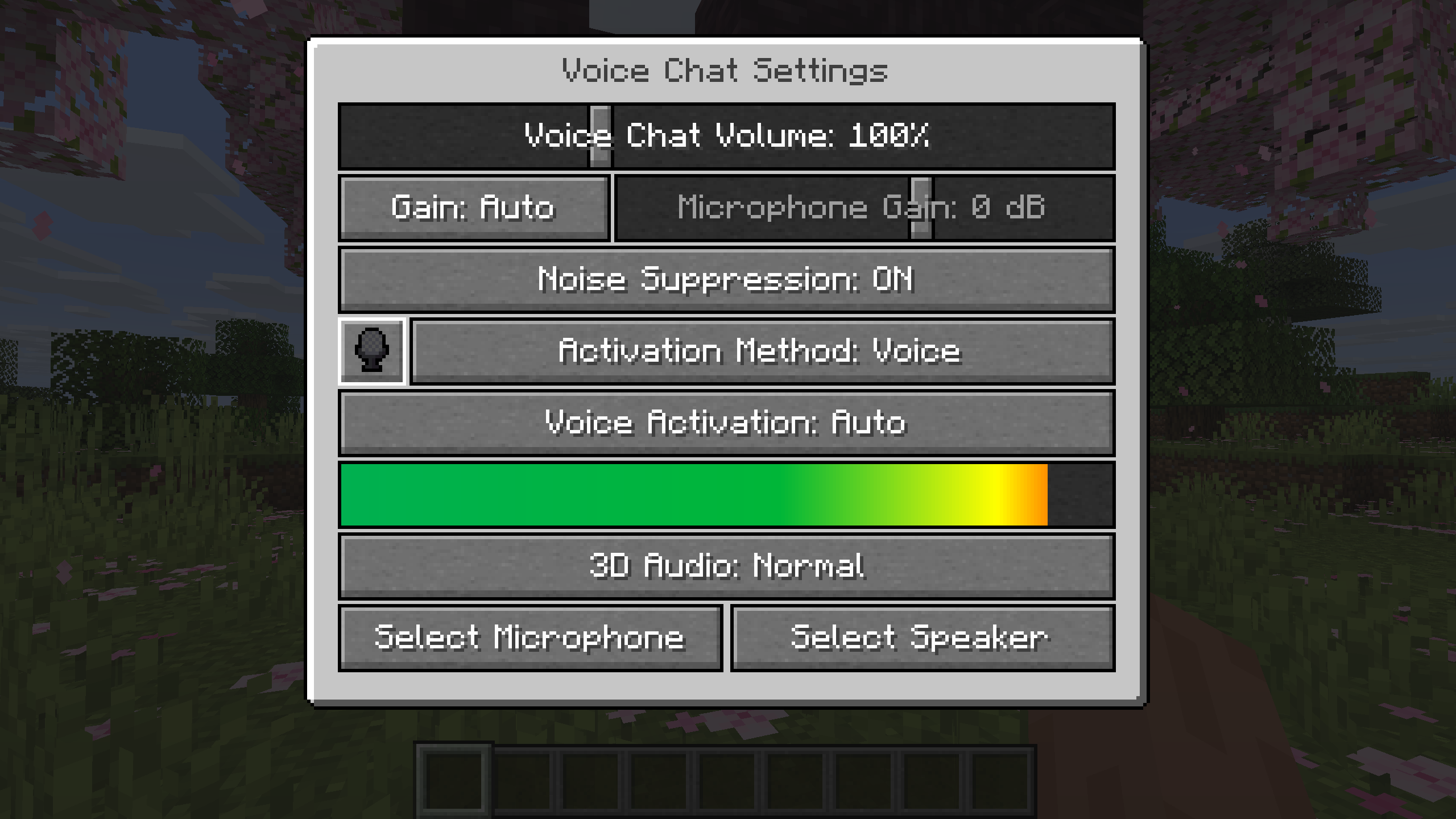
You can access the voice chat settings by pressing the V key and pressing the settings button.
This menu offers the ability to set up your voice chat audio settings.
By clicking the microphone button, you can test your microphone activation.
Important Notes
You need to open a port on the server. This is port 24454 UDP by default.
Without opening this port, the voice chat will not work.
This port can be changed in the server config.
More information here.
The voice chat is encrypted, but we don't guarantee the security of it. Use at your own risk!
AI-summarized from the mod's own pages · reviewed by our team
Reviewed for fabric-2.6.27+26.4-snapshot-7
Machine translated
Source: Modrinth project pageGuide
Summary
Simple Voice Chatは、近くにいるプレイヤーと会話できる距離ベースのボイスチャットをMinecraftに追加します。さらに、離れた場所にいる相手とも会話できるグループチャット、音声コントロール、録音機能を利用できます。ボイスチャットを使うには、サーバー側で特別な設定が必要です。
Getting started
- 適切なダウンロードを選ぶ — 使用するローダーまたはサーバープラットフォームに合ったファイルを選んでください。このプロジェクトでは、Fabric、Forge、NeoForge、Quilt向けのMODに加え、複数のサーバーおよびプロキシプラットフォーム向けのファイルも配布しています。
- サーバーの設定を確認する — サーバー管理者はボイスチャット用のUDPポートを開放する必要があります。デフォルトはポート24454ですが、サーバー設定で変更できます。
- ボイス設定を開く — Vキーを押して、設定ボタンを選択します。マイクボタンでマイクの動作をテストし、利用できるマイクとスピーカーの再生テストで音声を確認してください。
- 話し方を選ぶ — 好みに応じて、プッシュ・トゥ・トークまたは音声検出を使用します。プッシュ・トゥ・トークのキーは変更できます。
Key features
近くのプレイヤーとの会話
近接チャットを使うと、近くにいるプレイヤーと話せます。音声が届く距離は設定でき、ささやき声と3Dサウンドにも対応しています。
グループチャット
グループを使うと、近くにいないメンバーとも会話でき、パスワードで保護することもできます。Vメニューまたはグループキーからグループ画面を開いてください。
音声コントロール
プレイヤーごとに音量を調整したり、マイクの音量を増幅したりできます。自動音声検出、ゲイン調整、ノイズ抑制も利用できます。
録音
ボイスチャットメニューから録音を開始または停止できます。録音では音声トラックを分けて保存できます。
Compatibility
Fabric, Forge, NeoForge, Quilt
Tips
- グループを作成するには、グループ画面を開いて名前を入力し、画面下部のボタンを使います。ソーシャルインタラクション画面または/voicechat inviteコマンドからプレイヤーを招待できます。
- グループメンバーは左上に頭のアイコンで表示され、話している間は輪郭が表示されます。グループ画面の左から3番目のボタンで、これらのアイコンを非表示にできます。
- Vメニューでは、自分をミュートしたり、ボイスチャットを無効にしたり、ボイスチャットのアイコンをすべて非表示にしたりできます。問題を調べる際は、ミュート状態やボイスチャットの無効化を確認してください。
- ボイスチャットは暗号化されていますが、プロジェクトは安全性を保証していません。機密性の高い会話には注意してください。
FAQ
- ボイスチャットに接続できないのはなぜですか?
- ボイスチャットの状態アイコンを確認し、サーバー管理者にUDPポートの設定を確認してもらってください。必要なポートが開放されていないと、ボイスチャットは動作しません。
- 異なるプラットフォームのプレイヤー同士で使えますか?
- プロジェクトでは、Fabric、NeoForge、Forge、Quilt、Bukkit、Spigot、Paper間の互換性が案内されています。また、Velocity、BungeeCord、Waterfallにも対応しています。
- 設定画面を使いやすくできますか?
- このMODはModMenuに対応しており、設定画面を改善するためにClothConfigの使用が推奨されています。
Modrinth modrinth
indexable