
3D Skin Layers
tr7zw
86.745.952 downloads · 11.996 followers
Minecraft: Minecraft 1.8.8 – 26.3
Runs on: Client
Kategori: adventure, decoration
Compatibility by loader
- neoforge1.20 – 1.21, 26.1.2 – 26.3· Latest 1.11.4 (18 Eki 2026)
- fabric1.16 – 1.21, 26.1 – 26.3· Latest 1.11.4 (18 Eki 2026)
- forge1.8.8 – 1.8.9, 1.12.2, 1.16 – 1.21· Latest 1.11.4 (18 Eki 2026)
- quilt1.20 – 1.20.1· Latest 1.5.4-1.20 (7 Tem 2023)
Required with
Overview
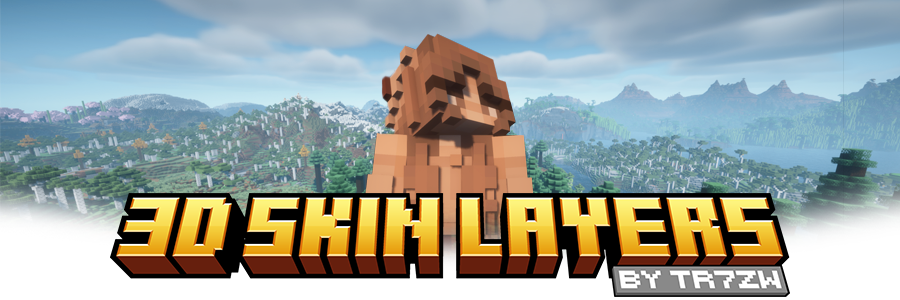




Replaces the normally flat second layer of player skins with a fully 3D-modeled version. The mod automatically switches back to vanilla-style 2D rendering when players are more than 12 blocks away, helping maintain high framerates. It also supports transparent elements - perfect for glasses, visors, or other cosmetic details!
Since this mod is purely visual and entirely client-side, it doesn't need to be installed on servers and works seamlessly in any environment.

Give your player skin the depth it deserves—with style and performance in mind.
3D Extruded Skin Layer
- Replaces the flat second skin layer with a full 3D model
- Adds visual depth to cosmetic details like jackets, sleeves, or hats
- Fully supports transparency for glasses, visors, etc.
- Also applies to player head items
Performance-Aware Rendering
- Automatically switches to vanilla 2D rendering beyond 12 blocks
- Maintains FPS even in multiplayer or crowded areas
- Fully client-side and requires no server installation


| Minecraft | Loader | Status | Version | Note |
|---|---|---|---|---|
| 1.16.5+ | Fabric/Forge*/NeoForge | ✅ Supported | Latest | |
| *1.16.5 | Forge | ⚠️ Unsupported | Outdated | Unsupported, until it gets support for JarInJar mods |
| 1.12.2/1.8.9 | Forge | ❌ Not supported | Outdated | Might get new updates at some point |
| Mod | Status | Note |
|---|---|---|
| Essential | ✅ Supported | |
| Shoulder Surfing Reloaded | ✅ Supported | |
| Player Animator | ✅ Supported | This means mods that use it like Better Combat and Emotecraft |
| CustomSkinLoader | ⚠️ Partial support | Requires this helper mod |
| Lunar Client | ❌ Not supported | Will never get support! |

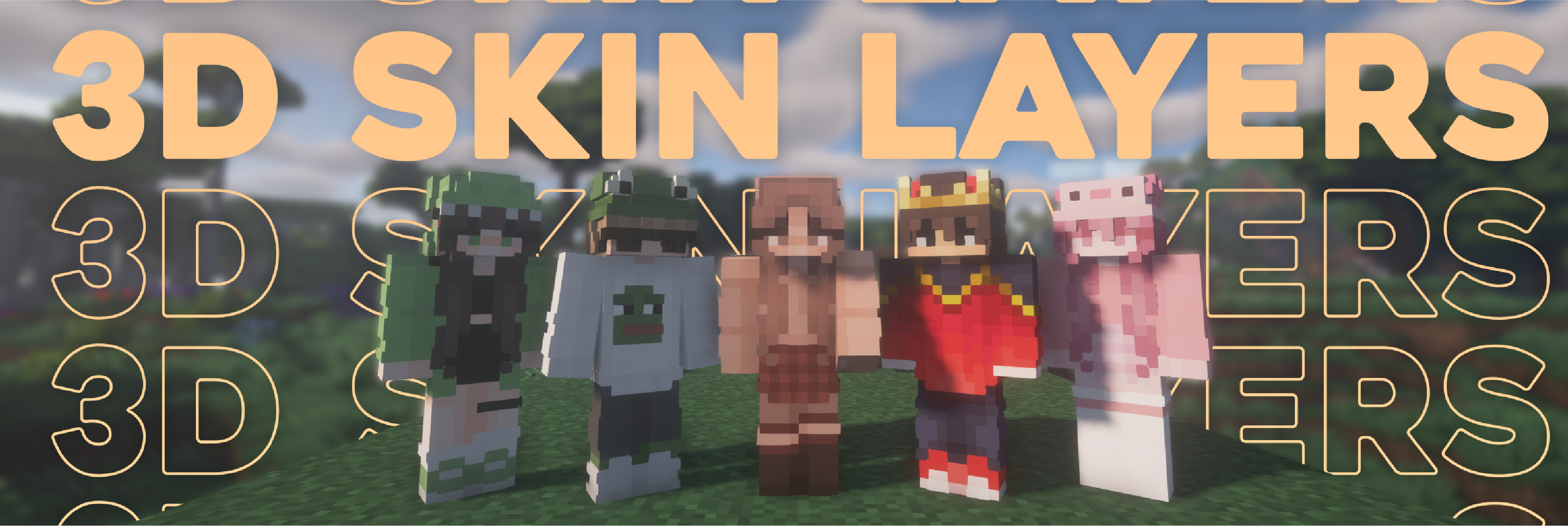

- Because the outer layer is slightly larger than the player model, some skins may not align perfectly in 3D.
- ZigZag patterns around corners will join up. This down to the math of making it 3d, but it can be somewhat prevented by placing slightly transparent pixels into the holes.
- With shaders, some body part layer sides have weird shadows. I am trying to get this resolved.

Does this need to be installed on the server?
No. This is a fully client-side mod and does not need to be installed on the server.
Does this work with HD Skins?
No. Since the pixels wouldn't have the correct shape, this is not possible.
The layers stick through the modded armor
Some modded armor is closer to the body than vanilla. Turn down the 3d size in the mod settings till it fits.
The layers are flying offset to the body
You are probably using a ETF/EMF resourcepack. Make sure you update it, fitting to the Minecraft version.
Help the layers are gone! / The mod doesn't work!
A few things to check before asking for help:
- Check under Options > Skin Customization that you didn't accidentally disable your skin layers.
- Check in the mod settings, that the features are turned on.
- Does the mod show up in the modlist at all?
- The skin should be loaded via Mojang, other skin loaders might not be supported.
- Make sure your skin actually has things on the second layer. The mod can't magically invent layers.
I'm having issues with my cracked version of Minecraft
Please buy the game, illegal copies of the game are not supported.

👤 Thanks to the awesome translators and contributors on Github!

📄 License: tr7zw Protective License
Feel free to use this mod in your Modrinth/Curseforge hosted modpacks without asking for permission. Do not redistribute the jar files anywhere else!
AI-summarized from the mod's own pages · reviewed by our team
Reviewed for 1.11.4
Machine translated
Source: Modrinth project pageGuide
Summary
3D Skin Layers, oyuncu skinlerinin dış katmanına modellenmiş, üç boyutlu bir görünüm kazandırır. Görsel ve istemci tarafında çalışan bir moddur; sunucuların yüklemesi gerekmez.
Getting started
- Skininizi kontrol edin — Ceket, kollar veya şapka gibi dış katmanında ayrıntılar bulunan bir skin kullanın. Mod, mevcut ayrıntılara derinlik katar; dış katmanı olmayan bir skine yeni ayrıntılar eklemez.
- Katmanları etkinleştirin — Efekt görünmüyorsa Seçenekler'i, ardından Skin Özelleştirme'yi açın ve ilgili skin katmanlarının etkin olduğunu kontrol edin. Ayrıca modun mod listenizde göründüğünden ve ayarlarında özelliklerinin etkin olduğundan emin olun.
- Yakından inceleyin — Modellenmiş katmanı görmek için yakındaki bir oyuncuyu inceleyin. Performansa yardımcı olmak için mod, 12 bloktan daha uzaktaki oyuncuların katmanını otomatik olarak düz görünüme döndürür.
Key features
Modellenmiş dış katmanlar
İkinci skin katmanı derinlik kazanır; böylece giysiler ve diğer kozmetik ayrıntılar daha belirgin görünür. Efekt, oyuncu kafasındaki eşyalara da uygulanır.
Şeffaf ayrıntılar
Şeffaf skin öğeleri desteklenmeye devam eder; böylece gözlük ve vizör gibi ayrıntılar modellenmiş katmanda görünebilir.
Mesafeye göre işleme
Uzaktaki oyuncular otomatik olarak düz biçimde işlenir. Bu özellik, kalabalık çok oyunculu alanlar da dahil olmak üzere performans maliyetini azaltmayı amaçlar.
Compatibility
Fabric, Forge, NeoForge · Uyumluluk tablosunda, Forge'un 1.16.5 sürümü hariç olmak üzere Fabric, Forge ve NeoForge için Minecraft 1.16.5 ve sonraki sürümlerde güncel destek listeleniyor. Forge'un 1.12.2 ve 1.8.9 sürümleri güncelliğini yitirmiş ve desteklenmiyor olarak işaretlenmiş.
- HD skinler desteklenmiyor.
- Lunar Client desteklenmiyor.
- CustomSkinLoader kısmen destekleniyor ve ayrı bir köprü modu gerektiriyor.
Tips
- Modellenmiş katman modlu zırhın içinden görünüyorsa mod ayarlarından 3D boyutunu küçültün.
- Dış model oyuncu modelinden biraz daha büyük olduğu için bazı skinler tam hizalanmayabilir.
- Zikzak desenleri köşelerde birleşebilir. Aralardaki pikselleri hafifçe şeffaf yapmak bu etkiyi azaltabilir.
- Gölgelendiriciler, bazı vücut bölümü katmanlarının yanlarında alışılmadık gölgeler oluşturabilir.
FAQ
- Skinim neden hâlâ düz görünüyor?
- Skin katmanı geçişlerini ve mod ayarlarını kontrol edin, ardından skininizde gerçekten dış katman ayrıntıları olduğundan emin olun. Mod, oyuncu 12 bloktan daha uzaktaysa düz işleme kullanır.
- Katmanlar neden vücuttan kaymış görünüyor?
- ETF veya EMF kaynak paketi kullanıyorsanız Minecraft sürümünüzle uyumlu bir sürüme güncelleyin. 1.11.4 mod sürümünde, özellikle Minecraft 1.20.1'de Forge için EMF kaynak paketlerine yönelik bir düzeltme de bulunur.
- Başka oyuncu animasyonu modlarını kullanabilir miyim?
- Uyumluluk tablosunda Essential, Shoulder Surfing Reloaded ve Player Animator destekleniyor olarak listeleniyor. Ayrıca Better Combat ve Emotecraft dahil, Player Animator kullanan modların desteklendiği belirtiliyor.
Modrinth modrinth
indexable