
3D Skin Layers
tr7zw
86.745.952 lượt tải · 11.996 theo dõi
Minecraft: Minecraft 1.8.8 – 26.3
Chạy trên: Client
Nhóm: adventure, decoration
Tương thích theo loader
- neoforge1.20 – 1.21, 26.1.2 – 26.3· Mới nhất 1.11.4 (18 thg 10, 2026)
- fabric1.16 – 1.21, 26.1 – 26.3· Mới nhất 1.11.4 (18 thg 10, 2026)
- forge1.8.8 – 1.8.9, 1.12.2, 1.16 – 1.21· Mới nhất 1.11.4 (18 thg 10, 2026)
- quilt1.20 – 1.20.1· Mới nhất 1.5.4-1.20 (7 thg 7, 2023)
Cần cài kèm
Tổng quan
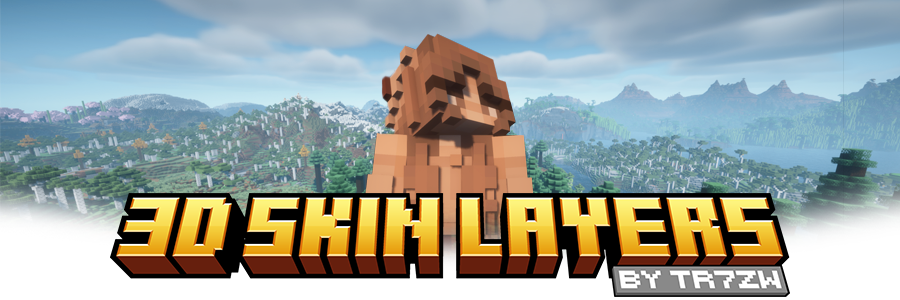




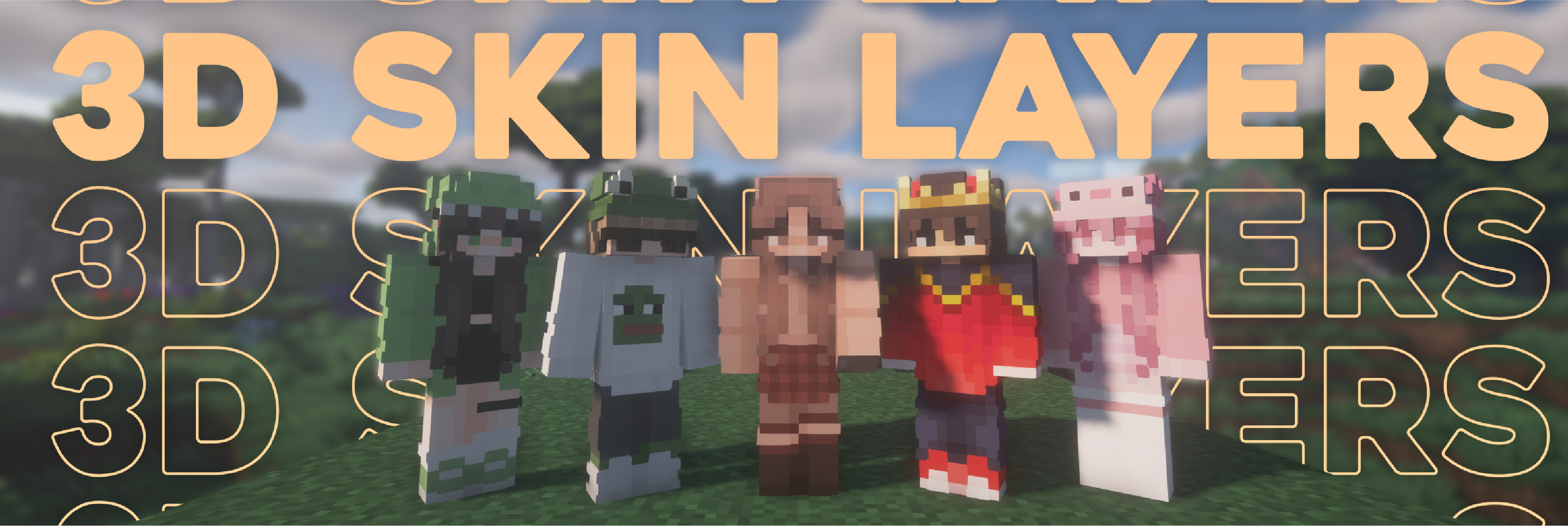
Replaces the normally flat second layer of player skins with a fully 3D-modeled version. The mod automatically switches back to vanilla-style 2D rendering when players are more than 12 blocks away, helping maintain high framerates. It also supports transparent elements - perfect for glasses, visors, or other cosmetic details!
Since this mod is purely visual and entirely client-side, it doesn't need to be installed on servers and works seamlessly in any environment.

Give your player skin the depth it deserves—with style and performance in mind.
3D Extruded Skin Layer
- Replaces the flat second skin layer with a full 3D model
- Adds visual depth to cosmetic details like jackets, sleeves, or hats
- Fully supports transparency for glasses, visors, etc.
- Also applies to player head items
Performance-Aware Rendering
- Automatically switches to vanilla 2D rendering beyond 12 blocks
- Maintains FPS even in multiplayer or crowded areas
- Fully client-side and requires no server installation


| Minecraft | Loader | Status | Version | Note |
|---|---|---|---|---|
| 1.16.5+ | Fabric/Forge*/NeoForge | ✅ Supported | Latest | |
| *1.16.5 | Forge | ⚠️ Unsupported | Outdated | Unsupported, until it gets support for JarInJar mods |
| 1.12.2/1.8.9 | Forge | ❌ Not supported | Outdated | Might get new updates at some point |
| Mod | Status | Note |
|---|---|---|
| Essential | ✅ Supported | |
| Shoulder Surfing Reloaded | ✅ Supported | |
| Player Animator | ✅ Supported | This means mods that use it like Better Combat and Emotecraft |
| CustomSkinLoader | ⚠️ Partial support | Requires this helper mod |
| Lunar Client | ❌ Not supported | Will never get support! |


- Because the outer layer is slightly larger than the player model, some skins may not align perfectly in 3D.
- ZigZag patterns around corners will join up. This down to the math of making it 3d, but it can be somewhat prevented by placing slightly transparent pixels into the holes.
- With shaders, some body part layer sides have weird shadows. I am trying to get this resolved.

Does this need to be installed on the server?
No. This is a fully client-side mod and does not need to be installed on the server.
Does this work with HD Skins?
No. Since the pixels wouldn't have the correct shape, this is not possible.
The layers stick through the modded armor
Some modded armor is closer to the body than vanilla. Turn down the 3d size in the mod settings till it fits.
The layers are flying offset to the body
You are probably using a ETF/EMF resourcepack. Make sure you update it, fitting to the Minecraft version.
Help the layers are gone! / The mod doesn't work!
A few things to check before asking for help:
- Check under Options > Skin Customization that you didn't accidentally disable your skin layers.
- Check in the mod settings, that the features are turned on.
- Does the mod show up in the modlist at all?
- The skin should be loaded via Mojang, other skin loaders might not be supported.
- Make sure your skin actually has things on the second layer. The mod can't magically invent layers.
I'm having issues with my cracked version of Minecraft
Please buy the game, illegal copies of the game are not supported.

👤 Thanks to the awesome translators and contributors on Github!

📄 License: tr7zw Protective License
Feel free to use this mod in your Modrinth/Curseforge hosted modpacks without asking for permission. Do not redistribute the jar files anywhere else!
Tóm tắt AI từ trang chính thức của mod · đội ngũ đã rà soát
Rà soát cho 1.11.4
Bản dịch máy
Nguồn: trang dự án ModrinthGuide
Tóm tắt
3D Skin Layers tạo diện mạo ba chiều có mô hình cho lớp ngoài của skin người chơi. Đây là mod chỉ ảnh hưởng đến hình ảnh ở phía máy khách, nên máy chủ không cần cài đặt mod này.
Bắt đầu
- Kiểm tra skin — Hãy dùng skin có chi tiết ở lớp ngoài, chẳng hạn như áo khoác, tay áo hoặc mũ. Mod tạo chiều sâu cho các chi tiết sẵn có; mod không tạo thêm chi tiết nếu skin không có lớp ngoài.
- Bật các lớp skin — Nếu không thấy hiệu ứng, hãy mở Tùy chọn, rồi chọn Tùy chỉnh skin và kiểm tra xem các lớp skin liên quan đã được bật chưa. Đồng thời, kiểm tra xem mod có trong danh sách mod và các tính năng của mod đã được bật trong phần cài đặt hay chưa.
- Quan sát ở gần — Đến gần người chơi để xem lớp skin có mô hình. Khi cách xa hơn 12 khối, mod tự động chuyển lớp này về dạng phẳng để cải thiện hiệu suất.
Tính năng chính
Lớp ngoài có mô hình
Lớp skin thứ hai có thêm chiều sâu, giúp quần áo và các chi tiết trang trí khác nổi bật hơn. Hiệu ứng cũng áp dụng cho vật phẩm trên đầu người chơi.
Chi tiết trong suốt
Các phần trong suốt của skin vẫn được hỗ trợ, cho phép những chi tiết như kính và kính che mặt xuất hiện trên lớp có mô hình.
Kết xuất theo khoảng cách
Người chơi ở xa sẽ tự động được kết xuất ở dạng phẳng. Tính năng này nhằm giảm ảnh hưởng đến hiệu suất, kể cả ở những khu vực nhiều người chơi.
Tương thích
Fabric, Forge, NeoForge · Bảng tương thích liệt kê hỗ trợ hiện tại cho Minecraft 1.16.5 trở lên trên Fabric, Forge và NeoForge, ngoại trừ Forge trên 1.16.5. Bảng đánh dấu các bản phát hành Forge cho 1.12.2 và 1.8.9 là đã lỗi thời và không được hỗ trợ.
- Không hỗ trợ HD skins.
- Không hỗ trợ Lunar Client.
- CustomSkinLoader được hỗ trợ một phần và cần một mod cầu nối riêng.
Mẹo
- Nếu lớp có mô hình xuyên qua giáp từ mod khác, hãy giảm kích thước 3D trong phần cài đặt của mod.
- Một số skin có thể không khớp hoàn toàn vì mô hình lớp ngoài lớn hơn một chút so với mô hình người chơi.
- Các họa tiết zíc zắc có thể nối liền nhau ở các góc. Làm cho các pixel trong suốt hơn một chút ở những khoảng trống có thể giảm hiệu ứng này.
- Shader có thể tạo bóng bất thường ở hai bên của một số lớp bộ phận cơ thể.
Hỏi đáp
- Tại sao skin của tôi vẫn trông phẳng?
- Hãy kiểm tra các nút bật/tắt lớp skin và phần cài đặt của mod, sau đó đảm bảo skin của bạn thực sự có chi tiết ở lớp ngoài. Mod dùng kết xuất phẳng khi người chơi cách xa hơn 12 khối.
- Tại sao các lớp skin bị lệch khỏi cơ thể?
- Nếu bạn dùng gói tài nguyên ETF hoặc EMF, hãy cập nhật lên phiên bản phù hợp với phiên bản Minecraft của bạn. Phiên bản mod 1.11.4 cũng có bản sửa lỗi cho gói tài nguyên EMF trên Forge, đặc biệt là trong Minecraft 1.20.1.
- Tôi có thể dùng các mod hoạt ảnh người chơi khác không?
- Bảng tương thích liệt kê Essential, Shoulder Surfing Reloaded và Player Animator là được hỗ trợ. Bảng cũng ghi nhận hỗ trợ các mod dùng Player Animator, bao gồm Better Combat và Emotecraft.
Modrinth modrinth
indexable