
Diorama
sunkenintime
105.178 downloads · 368 followers
Minecraft: Minecraft 1.20.1 – 26.3
Runs on: Client
Kategori: transportation, utility
Compatibility by loader
- forge1.20.1· Latest 0.6.0+forge-1.20.1 (29 Okt 2026)
- fabric1.20 – 1.21, 26.1 – 26.3· Latest 0.6.0+1.20.1 (29 Okt 2026)
- neoforge1.21 – 1.21.11, 26.1.2 – 26.3· Latest 0.6.0+neoforge-1.21 (29 Okt 2026)
Required with
Overview
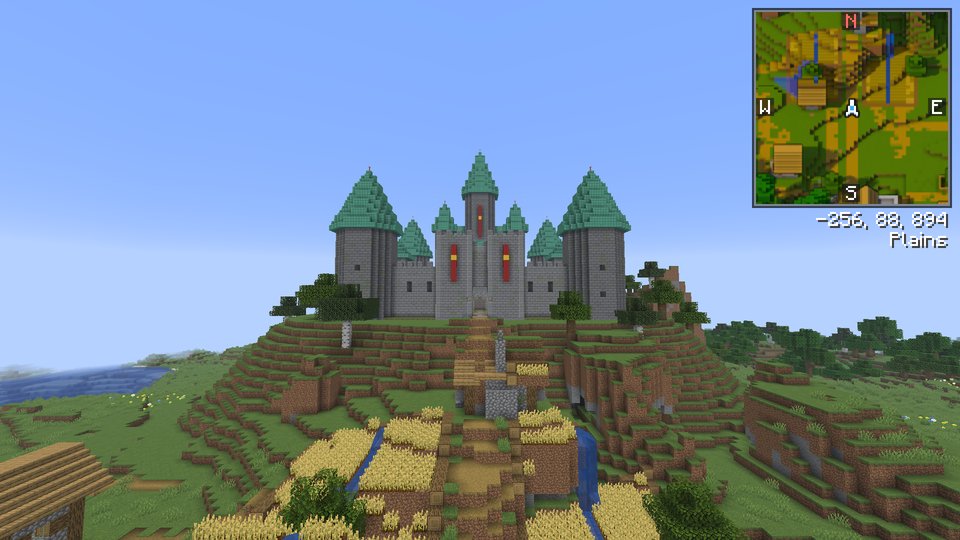
Diorama is a minimap and world map that draws your world at an angle, like a little model of it on a table. Towers stand up, cliffs have faces and trees cast shadows.

What you get
- A minimap in the corner of your choice, square or round, with a compass, your coordinates and the biome. It stays north-up, or turns with you if you switch Lock North off.
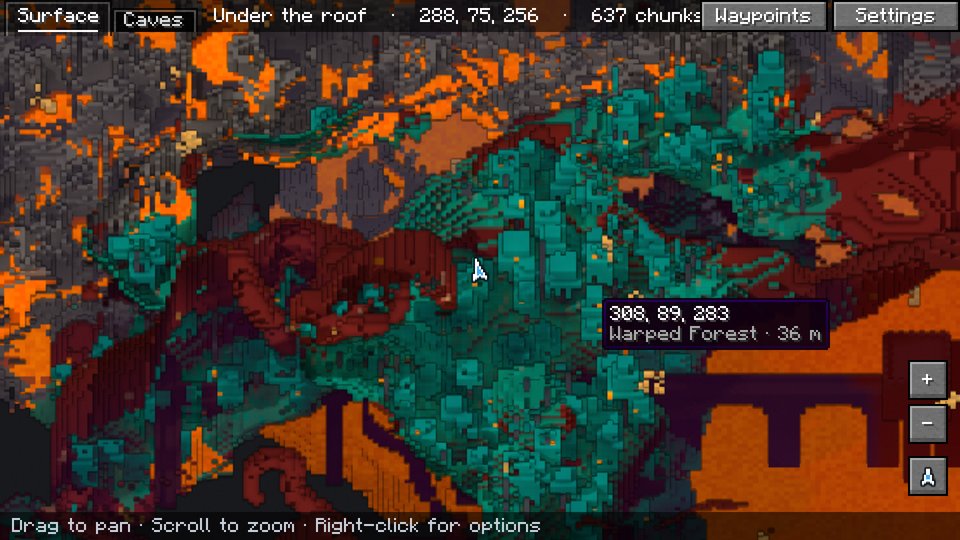
- A fullscreen map you can drag and zoom, from single blocks out to about 10,000 blocks across. Turn it to face north, east, south or west to see the front of any build, and look at the maps of other dimensions you've been to.
- A map that remembers. Everywhere you've been is saved, so it's still there next time. In singleplayer it also fills in from your world save, including land you never walked. Places you haven't seen yet sit under a soft fog. Keep several maps of one world and switch between them from the map.
- Day and night. The map gets dark at night like the world does, and torches, lamps and lava light it up.
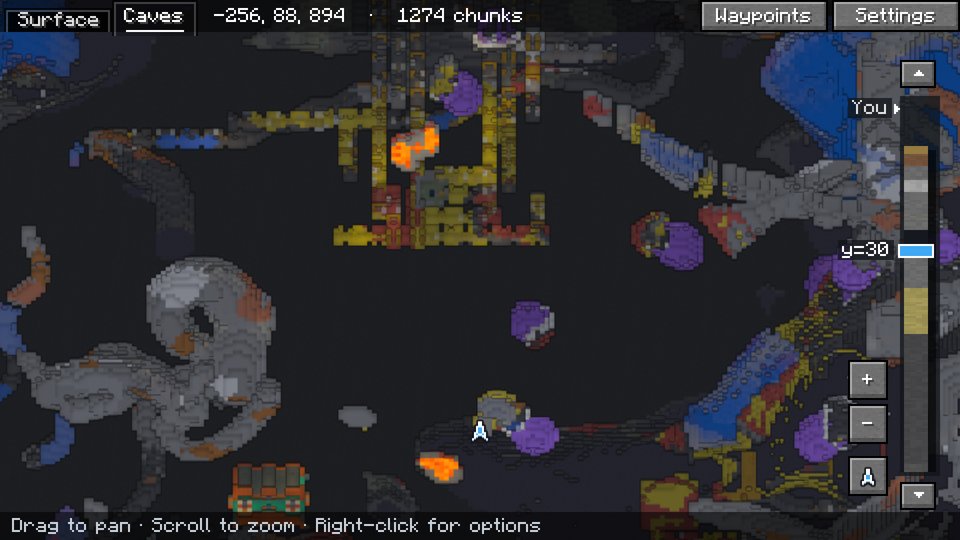
- Caves and the Nether. Underground, the map shows the cave you're in, and goes back to the surface when you come out. A torch in your hand lights up the cave map. In the Nether it looks in under the bedrock roof.
- A radar that shows players and mobs as their own faces, outlined red, yellow or green for hostile, neutral or passive, and dropped items as the items themselves. Hold Tab to see names on the minimap, and make your own categories from any mobs you pick.
- Waypoints on the map and floating in the world, with an icon or up to four letters on each pin, a marker where you died, a pin on your bed, pins on portals if you want them, beams of light if you want them, folders to sort them, a distance limit for when there are too many, and an [Add] link when someone shares one in chat.
- A right-click menu on the map to add a waypoint, drop a temporary one, share the spot in chat, or teleport there if you're allowed to use
/tp. - Drawing on the map. Draw freehand, click out lines, mark areas, leave notes and measure distances. Drawings show on the minimap too.
- Save the map as an image, an area you pick or the whole map, drawings included.
Keys
| Key | What it does |
|---|---|
M | Open the fullscreen map |
B | Add a waypoint where you're standing |
U | List your waypoints |
= / - | Zoom the minimap in and out |
On the fullscreen map, drag to move around, scroll to zoom, click a waypoint to edit it and right-click for the menu. C switches to the cave view. The map can also show the chunk grid, slime chunks and where monsters can spawn. Every setting is behind the Settings button on the fullscreen map. On a slower computer, set Quality to Fast.
On servers
Diorama works on any server, with or without the mod there. Each world on a server gets its own map and waypoints, even several worlds behind one address, as long as their seeds differ. Servers can limit it with the same rules as Xaero's Minimap.
Put Diorama on a dedicated server too, and it can do more. Players without the mod can still join.
- A shared map. Land anyone has explored shows up on every Diorama player's map, drawn with their own resource pack. It's on as soon as the jar is in the server's
modsfolder. The Overworld and the End are shared; the Nether stays your own. - Far-away teammates. Your FTB Teams or Open Parties and Claims party shows on your map and minimap from any distance. Server owners can make it everyone or no one.
- A web map. The server draws its map for a browser, so anyone can look at it on a phone or a second screen without the game, with online players, markers that operators place, and claimed land. Set
web-map=trueinconfig/diorama-server.properties, restart, and open port 8100. How to set it up. - Rules for everyone. The server can turn off cave maps, the radar or the map in a dimension for all its players.
Works with
- Xaero's Minimap. Import your waypoints, add waypoints people share in chat, and see far-away players on servers with Xaero's player tracking.
- Radar icon packs made for Xaero's Minimap work too. You can also make your own.
- Waystones. Waystones you've found show on the map.
- Create and Create Aeronautics. Trains, contraptions and Aeronautics ships show on the map as their own blocks, far-away trains show as a box in the train's colour, and copycats show as the block they copy.
- FTB Chunks and Open Parties and Claims. Claimed land shows on the map and minimap in its owner's colour.
- MineColonies. Colony borders show on the map and minimap.
- Chunky Border. Its border shows on the map, the minimap and the web map.
- Cobblemon and Pixelmon. Pokémon show as themselves on the radar, in a category of their own you can switch off.
Requirements
- Fabric. Minecraft 1.20.1, 1.21 to 1.21.11 or 26.1 to 26.3, with Fabric API.
- NeoForge. Minecraft 1.21, 1.21.1, 1.21.3, 1.21.4, 1.21.5, 1.21.8, 1.21.10, 1.21.11, 26.1.2, 26.2 or 26.3.
- Forge. Minecraft 1.20.1, with Forge 47.1 or later.
Download the file for your Minecraft version and loader. Bug reports and source code are on GitHub.
Gallery
Modrinth modrinth
indexable