
Visual Workbench
Fuzs
27.653.074 downloads · 2.813 followers
Minecraft: Minecraft 1.19 – 26.3
Runs on: Client & server
Kategori: utility
Compatibility by loader
- fabric1.19 – 1.21, 26.1 – 26.3· Latest 26.3.0 (23 Sep 2026)
- neoforge1.20 – 1.21, 26.1 – 26.3· Latest 26.3.0 (23 Sep 2026)
- forge1.19 – 1.20· Latest v8.0.1-1.20.1-Forge (22 Jul 2025)
Required with
Overview




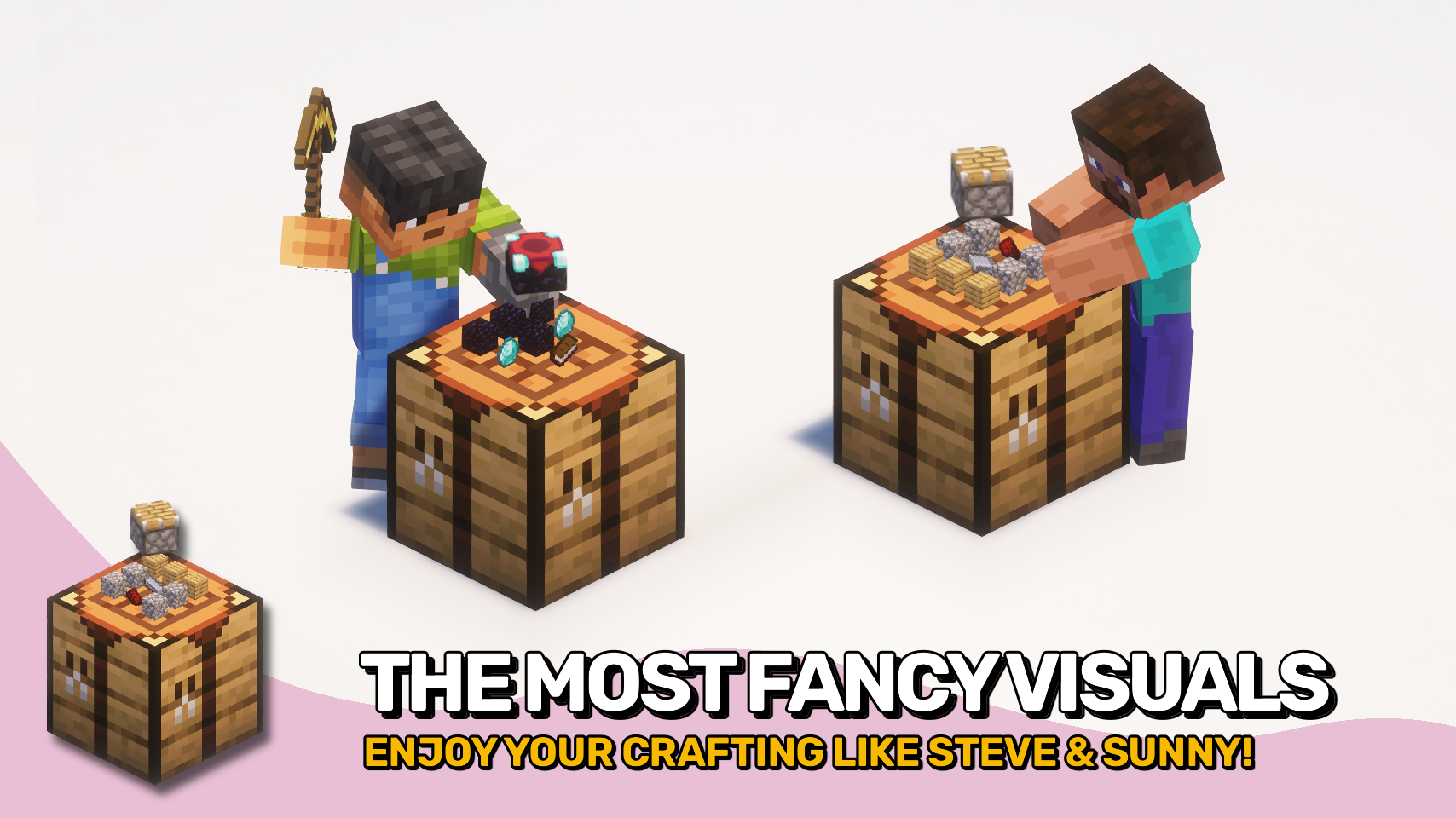
 Visual Workbench makes crafting tables feel more alive by keeping items inside the grid while you work. 🧰 No more disappearing ingredients. Everything stays visible and organized as you craft.
If you break the block, all contents drop on the ground just as you would expect. 📦 Crafting ingredients and the resulting item are also rendered directly on top, giving the table a clean and satisfying visual touch.
Simple, intuitive, and a nice visual upgrade to a familiar block. ✨

 **⏩ **INSTALLATION REQUIRED ON CLIENT & REQUIRED ON SERVER
**⏩ **REQUIRES PUZZLES LIB TO BE INSTALLED (FABRIC & NEOFORGE)
**⏩ **REQUIRES FABRIC API TO BE INSTALLED (FABRIC)
**⏩ **REQUIRES FORGE CONFIG API PORT TO BE INSTALLED (FABRIC)
 If available for a mod, configuration is possible directly from in-game using the mod menu (requires Mod Menu by Prospector to be installed on Fabric).
For manual configuration using an external text editor all files are found at
.minecraft/config, named as MOD_ID-client.toml, MOD_ID-common.toml, or MOD_ID-server.toml, depending on the type of config. Not all types might exist for a mod, if any at all.
 🌟 Thanks to Prototik for the original idea and most of the rendering code from their RealBench mod.
🌟 Thanks to Tfarecnim for the Just Enough Items plugin code from their Crafting Station mod.
🌟 Thanks to Daomephsta from the Fabric Discord for pointing me into the right direction for supporting modded crafting tables on Fabric.
 |  | |
|---|---|---|
 |  | |
 |  | |
 |  | |
 |  |
 © 2026 @heyitsfuzs. All rights reserved. This page was last edited on 11 September 2026, at 06:44 (UTC).
Modrinth modrinth
indexable