
3D Skin Layers
tr7zw
86.745.952 downloads · 11.996 followers
Minecraft: Minecraft 1.8.8 – 26.3
Runs on: Client
Categoria: adventure, decoration
Compatibility by loader
- neoforge1.20 – 1.21, 26.1.2 – 26.3· Latest 1.11.4 (18 de out. de 2026)
- fabric1.16 – 1.21, 26.1 – 26.3· Latest 1.11.4 (18 de out. de 2026)
- forge1.8.8 – 1.8.9, 1.12.2, 1.16 – 1.21· Latest 1.11.4 (18 de out. de 2026)
- quilt1.20 – 1.20.1· Latest 1.5.4-1.20 (7 de jul. de 2023)
Required with
Overview
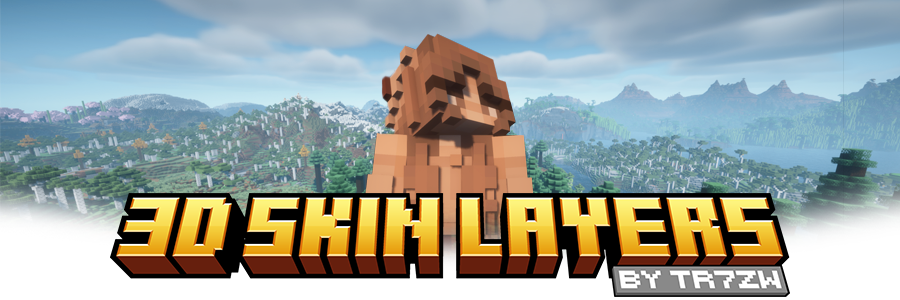




Replaces the normally flat second layer of player skins with a fully 3D-modeled version. The mod automatically switches back to vanilla-style 2D rendering when players are more than 12 blocks away, helping maintain high framerates. It also supports transparent elements - perfect for glasses, visors, or other cosmetic details!
Since this mod is purely visual and entirely client-side, it doesn't need to be installed on servers and works seamlessly in any environment.

Give your player skin the depth it deserves—with style and performance in mind.
3D Extruded Skin Layer
- Replaces the flat second skin layer with a full 3D model
- Adds visual depth to cosmetic details like jackets, sleeves, or hats
- Fully supports transparency for glasses, visors, etc.
- Also applies to player head items
Performance-Aware Rendering
- Automatically switches to vanilla 2D rendering beyond 12 blocks
- Maintains FPS even in multiplayer or crowded areas
- Fully client-side and requires no server installation


| Minecraft | Loader | Status | Version | Note |
|---|---|---|---|---|
| 1.16.5+ | Fabric/Forge*/NeoForge | ✅ Supported | Latest | |
| *1.16.5 | Forge | ⚠️ Unsupported | Outdated | Unsupported, until it gets support for JarInJar mods |
| 1.12.2/1.8.9 | Forge | ❌ Not supported | Outdated | Might get new updates at some point |
| Mod | Status | Note |
|---|---|---|
| Essential | ✅ Supported | |
| Shoulder Surfing Reloaded | ✅ Supported | |
| Player Animator | ✅ Supported | This means mods that use it like Better Combat and Emotecraft |
| CustomSkinLoader | ⚠️ Partial support | Requires this helper mod |
| Lunar Client | ❌ Not supported | Will never get support! |

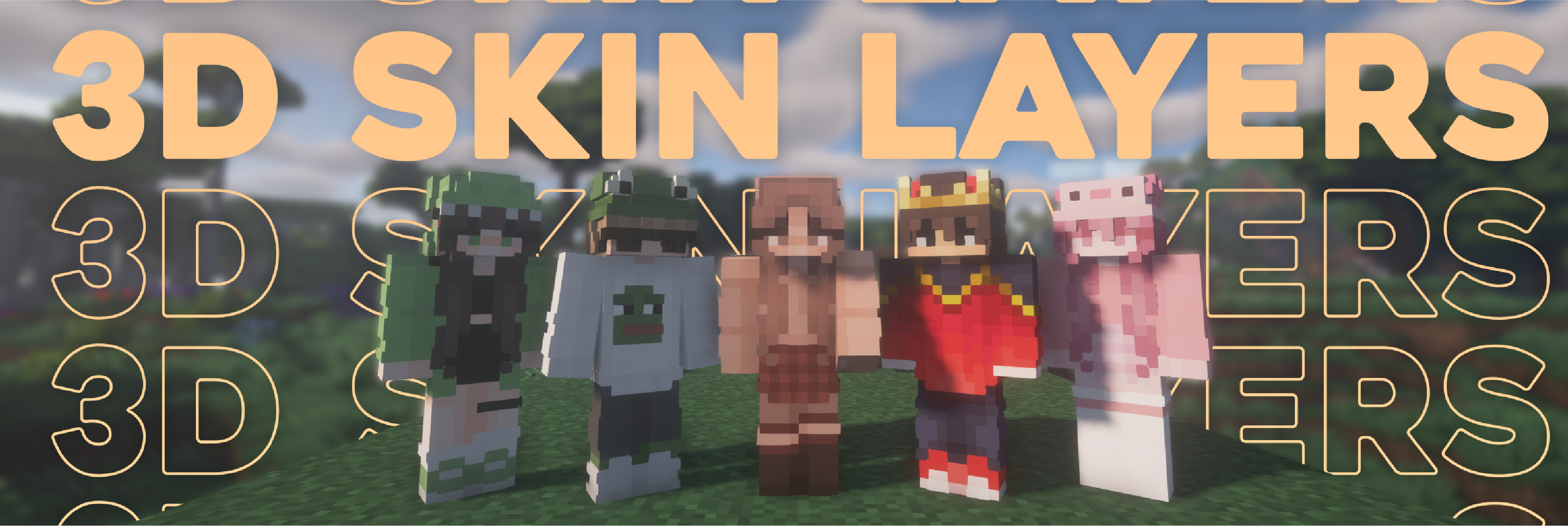

- Because the outer layer is slightly larger than the player model, some skins may not align perfectly in 3D.
- ZigZag patterns around corners will join up. This down to the math of making it 3d, but it can be somewhat prevented by placing slightly transparent pixels into the holes.
- With shaders, some body part layer sides have weird shadows. I am trying to get this resolved.

Does this need to be installed on the server?
No. This is a fully client-side mod and does not need to be installed on the server.
Does this work with HD Skins?
No. Since the pixels wouldn't have the correct shape, this is not possible.
The layers stick through the modded armor
Some modded armor is closer to the body than vanilla. Turn down the 3d size in the mod settings till it fits.
The layers are flying offset to the body
You are probably using a ETF/EMF resourcepack. Make sure you update it, fitting to the Minecraft version.
Help the layers are gone! / The mod doesn't work!
A few things to check before asking for help:
- Check under Options > Skin Customization that you didn't accidentally disable your skin layers.
- Check in the mod settings, that the features are turned on.
- Does the mod show up in the modlist at all?
- The skin should be loaded via Mojang, other skin loaders might not be supported.
- Make sure your skin actually has things on the second layer. The mod can't magically invent layers.
I'm having issues with my cracked version of Minecraft
Please buy the game, illegal copies of the game are not supported.

👤 Thanks to the awesome translators and contributors on Github!

📄 License: tr7zw Protective License
Feel free to use this mod in your Modrinth/Curseforge hosted modpacks without asking for permission. Do not redistribute the jar files anywhere else!
AI-summarized from the mod's own pages · reviewed by our team
Reviewed for 1.11.4
Machine translated
Source: Modrinth project pageGuide
Summary
3D Skin Layers dá à camada externa das skins dos jogadores uma aparência tridimensional modelada. É um mod visual do lado do cliente, então os servidores não precisam instalá-lo.
Getting started
- Confira sua skin — Use uma skin com detalhes na camada externa, como jaqueta, mangas ou chapéu. O mod adiciona profundidade aos detalhes existentes; ele não os cria em skins que não tenham uma camada externa.
- Ative as camadas — Se o efeito não aparecer, abra Opções, depois Personalização da Skin, e confira se as camadas relevantes da skin estão ativadas. Confira também se o mod aparece na sua lista de mods e se os recursos dele estão ativados nas configurações.
- Observe de perto — Observe um jogador próximo para ver a camada modelada. A mais de 12 blocos de distância, o mod volta automaticamente a exibir a camada de forma plana para ajudar no desempenho.
Key features
Camadas externas modeladas
A segunda camada da skin ganha profundidade, destacando roupas e outros detalhes cosméticos. O efeito também se aplica aos itens de cabeça dos jogadores.
Detalhes transparentes
Elementos transparentes da skin continuam compatíveis, permitindo que detalhes como óculos e viseiras apareçam na camada modelada.
Renderização baseada na distância
Jogadores distantes são renderizados automaticamente de forma plana. Isso foi pensado para reduzir o custo de desempenho, inclusive em áreas multiplayer lotadas.
Compatibility
Fabric, Forge, NeoForge · A tabela de compatibilidade lista suporte atual para Minecraft 1.16.5 e versões posteriores no Fabric, Forge e NeoForge, com exceção do Forge na 1.16.5. Ela marca as versões do Forge para 1.12.2 e 1.8.9 como desatualizadas e sem suporte.
- Skins HD não são compatíveis.
- Lunar Client não é compatível.
- CustomSkinLoader tem suporte parcial e requer um mod de integração separado.
Tips
- Se a camada modelada atravessar uma armadura de mod, reduza o tamanho 3D nas configurações do mod.
- Algumas skins podem não ficar perfeitamente alinhadas porque o modelo externo é um pouco maior que o modelo do jogador.
- Padrões em zigue-zague podem se unir nos cantos. Pixels ligeiramente transparentes nos espaços podem reduzir esse efeito.
- Shaders podem criar sombras incomuns nas laterais de algumas camadas das partes do corpo.
FAQ
- Por que minha skin ainda parece plana?
- Confira as opções de camada da skin e as configurações do mod, depois confirme se sua skin realmente tem detalhes na camada externa. O mod usa a renderização plana quando um jogador está a mais de 12 blocos de distância.
- Por que as camadas estão deslocadas em relação ao corpo?
- Se você usa um pacote de recursos ETF ou EMF, atualize-o para uma versão compatível com a sua versão do Minecraft. A versão 1.11.4 do mod também inclui uma correção para pacotes de recursos EMF no Forge, especialmente no Minecraft 1.20.1.
- Posso usar outros mods de animação de jogadores?
- A tabela de compatibilidade lista Essential, Shoulder Surfing Reloaded e Player Animator como compatíveis. Ela também indica suporte a mods que usam Player Animator, incluindo Better Combat e Emotecraft.
Modrinth modrinth
indexable